

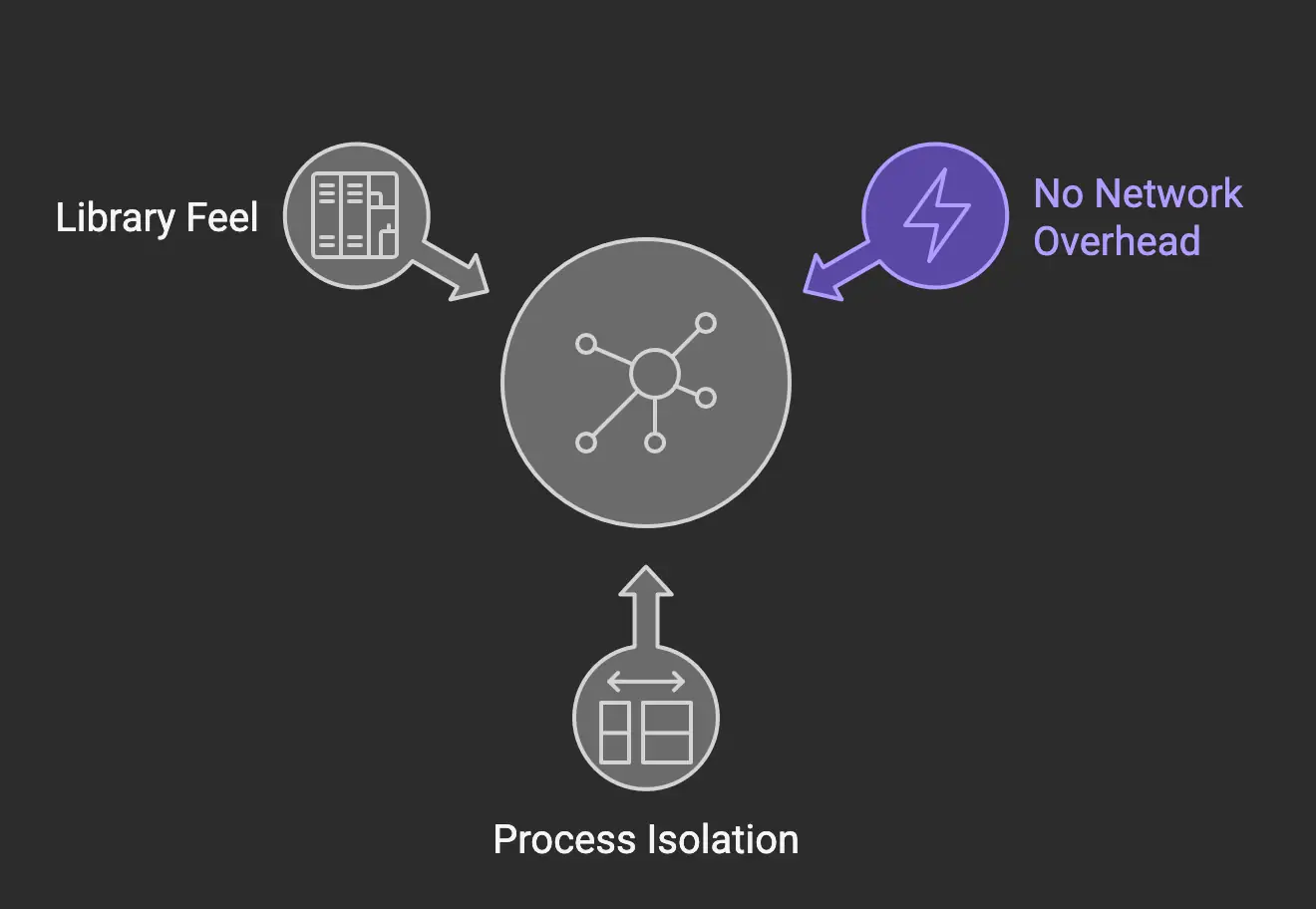
FalkorDBLite is an embedded Python graph database that packages the FalkorDB graph engine as a Python library. Unlike traditional embedded databases, it runs as an isolated sub-process using Unix domain sockets, providing process isolation and eliminating network overhead. This design ensures stability and zero configuration—just install with pip and start coding.
FalkorDBLite forks a lightweight sub-process instead of sharing memory space with your application. This process isolation prevents crashes from cascading between your app and the database, and communication occurs over Unix domain sockets, not TCP/IP, resulting in zero network latency and no open ports to manage.
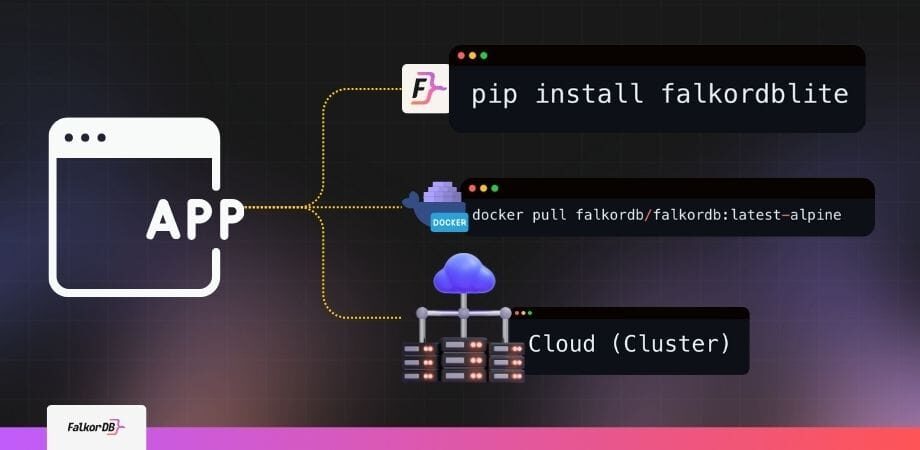
You can install FalkorDBLite using pip with the command pip install falkordblite. No Docker, server setup, or admin privileges are required—just install and import in your Python project.
FalkorDBLite is designed for Python, providing a native Python library experience for building graph applications and running graph queries.
No, FalkorDBLite communicates over Unix domain sockets and does not require any network configuration or open ports, making it secure and easy to use in local environments.
Yes, FalkorDBLite is open source. You can access the implementation and contribute via the FalkorDBLite GitHub Repository.
FalkorDBLite runs as a lightweight sub-process next to your Python application, communicating via Unix domain sockets. This ensures process isolation and stability, while providing a seamless embedded library experience.
Yes, FalkorDBLite supports Cypher queries for creating, querying, and traversing graph data. The syntax and query structure are consistent with the broader FalkorDB ecosystem.
Comprehensive documentation for FalkorDBLite is available at the FalkorDBLite Official Documentation, including installation, configuration, and usage patterns.
Simply install FalkorDBLite with pip, import it in your notebook, and initialize the database. No additional setup or configuration is required, making it ideal for prototyping and data science workflows.
FalkorDBLite offers process isolation, zero network overhead, seamless migration to production clusters, and an embedded library feel. It is perfect for ephemeral graph instances, CI/CD pipelines, prototyping, and data science workflows.
Yes, FalkorDBLite runs as a sub-process, ensuring that your application and the database do not share memory. This prevents crashes in one process from affecting the other.
Yes, the API for FalkorDBLite mirrors the standard falkordb-py client. To migrate to a production cluster, simply change your import statement and connection parameters; your queries and logic remain unchanged.
No, FalkorDBLite does not require Docker or admin privileges. You can install and run it directly with pip, making it accessible for all Python users.
Yes, the API is designed to be identical between FalkorDBLite and the falkordb-py client for the server, enabling seamless migration from local development to production clusters.
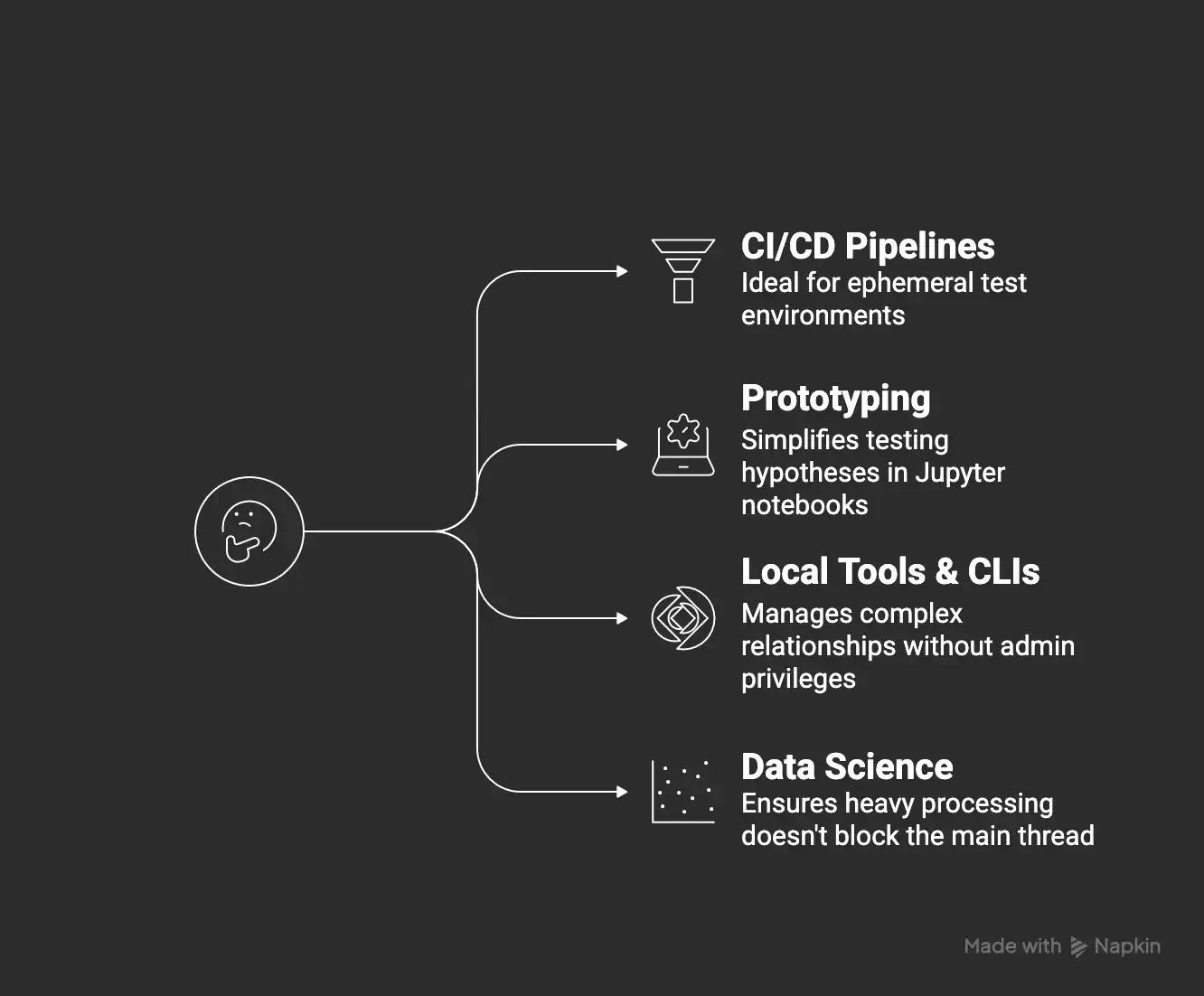
Yes, FalkorDBLite is ideal for CI/CD pipelines where you need to spin up ephemeral graph instances for integration tests and tear them down immediately after, with no infrastructure overhead.
Yes, FalkorDBLite's sub-process architecture allows you to run heavy graph algorithms in the database without blocking your Python application's main thread, making it suitable for data science workloads.
To migrate, you only need to change your import statement and connection parameters from file path (FalkorDBLite) to host/port (FalkorDB server). The rest of your code, including queries and logic, remains unchanged. You can then deploy to self-hosted, Docker, or managed cloud environments.
Yes, FalkorDBLite is well-suited for building Python tools and command-line interfaces that manage complex relationships on a user's machine without requiring database administrator privileges.
FalkorDBLite is ideal for CI/CD pipelines, prototyping in Jupyter notebooks, local tools and CLIs, and data science workflows where you need instant, ephemeral graph instances without infrastructure overhead.
FalkorDBLite allows you to quickly test data hypotheses and build prototypes in Python without setting up servers or containers. Its zero-config setup and process isolation make it perfect for rapid experimentation.
FalkorDBLite enables data scientists to load data, run heavy graph algorithms, and extract results efficiently, all within a Python environment. Its sub-process architecture ensures that database processing does not block the main application thread.
Yes, FalkorDBLite is perfect for integration testing scenarios where you need to spin up and tear down graph instances quickly and reliably, without infrastructure or admin overhead.
FalkorDBLite eliminates the need for server setup, network configuration, and admin privileges. It provides instant, isolated graph instances with zero friction, making it ideal for local development and testing.
FalkorDBLite's sub-process model allows you to spin up and tear down graph instances instantly, making it ideal for workflows that require temporary databases, such as CI/CD and testing.
FalkorDBLite is primarily designed for local development, prototyping, and testing. For production workloads, you should migrate to FalkorDB server or managed cloud, which offer multi-tenancy, scalability, and high availability.
To migrate, update your Python import from from falkordblite import FalkorDB to from falkordb import FalkorDB and change the initialization from a file path to host/port. The rest of your code remains unchanged, enabling seamless scaling from local to production environments.
FalkorDB can be deployed as self-hosted (open source), via Docker, or as a managed cloud service. This flexibility allows you to choose the best option for your scaling and operational needs.
Yes, the migration is seamless. The API is identical, so you only need to change the initialization parameters. This design eliminates the typical migration cliff associated with moving from prototyping to production.
Yes, you can run FalkorDB in production using Docker. The official image is available on Docker Hub, supporting scalable and containerized deployments.
Yes, FalkorDB Cloud offers a managed, high-availability hosting service that eliminates operational overhead for production graph database workloads. Learn more at FalkorDB Cloud Platform.
FalkorDBLite requires Python and can be installed via pip. No additional infrastructure, Docker, or admin privileges are needed for local development.
FalkorDBLite is designed to be API-compatible with the broader FalkorDB ecosystem, enabling easy migration and integration with FalkorDB server, Docker, and cloud deployments.
Yes, FalkorDBLite is ideal for CI/CD tools and pipelines, allowing you to spin up isolated graph instances for testing without infrastructure or admin overhead.
Yes, FalkorDBLite provides a native Python client library. For other languages and advanced use cases, refer to the FalkorDB Client Libraries documentation.
FalkorDBLite benefits from the same core engine as FalkorDB, which is SOC 2 Type II compliant. For production deployments, FalkorDB server and cloud offer advanced security, availability, and compliance features.
Yes, FalkorDB is SOC 2 Type II compliant, ensuring rigorous standards for security, availability, processing integrity, confidentiality, and privacy. Learn more on the FalkorDB demo page.
FalkorDBLite brings the "SQLite moment" to graph databases by offering zero-friction, embedded graph capabilities in Python. Unlike SQLite, which is relational, FalkorDBLite is purpose-built for graph data and supports Cypher queries and process isolation.
FalkorDB offers up to 496x faster latency and 6x better memory efficiency than Neo4j, supports multi-tenancy in all plans, and is open source. Compared to AWS Neptune, FalkorDB provides better latency, supports multi-tenancy, and is open source. TigerGraph and ArangoDB have limited horizontal scaling and lower memory efficiency compared to FalkorDB. See detailed comparisons at FalkorDB vs. Neo4j and FalkorDB vs. AWS Neptune.
FalkorDBLite provides process isolation, zero network overhead, seamless migration to production, and an embedded library experience. Its architecture prevents application crashes from affecting the database and vice versa, which is not always the case with other embedded databases.
Support is available via the FalkorDBLite GitHub Repository for issues and contributions, and through the official documentation for guides and usage patterns.
Yes, you can join the FalkorDB community via Discord and participate in discussions on GitHub.
The FalkorDB Blog features technical articles, tutorials, and use case guides for FalkorDBLite and the broader FalkorDB ecosystem.
Yes, FalkorDB has been successfully implemented by organizations such as AdaptX, XR.Voyage, and Virtuous AI. These customers have used FalkorDB to solve challenges in healthcare, media, and ethical AI development. Read their stories in the FalkorDB case studies.
FalkorDB is used in industries such as healthcare (AdaptX), media and entertainment (XR.Voyage), and artificial intelligence/ethical AI development (Virtuous AI). See case studies for details.
Customers like AdaptX and 2Arrows have praised FalkorDB for its rapid access to insights, ease of use, and superior performance compared to competitors. See customer testimonials for more information.
Context and memory for LLMs and agents
GraphRAG
Ground LLM answers in your knowledge graphAgentic AI
Agents grounded in how your domain connectsAgentic memory
Queryable memory that carries context across sessionsChatbots
Context-aware chatbots with long-term memoryProven patterns on connected data
Fraud detection
Trace rings of accounts, devices and transactions liveCybersecurity
Assets, findings and threats queried as one graphSupply chain
See how one supplier delay ripples downstreamReal-time recommendations
Suggestions based on how things actually relate