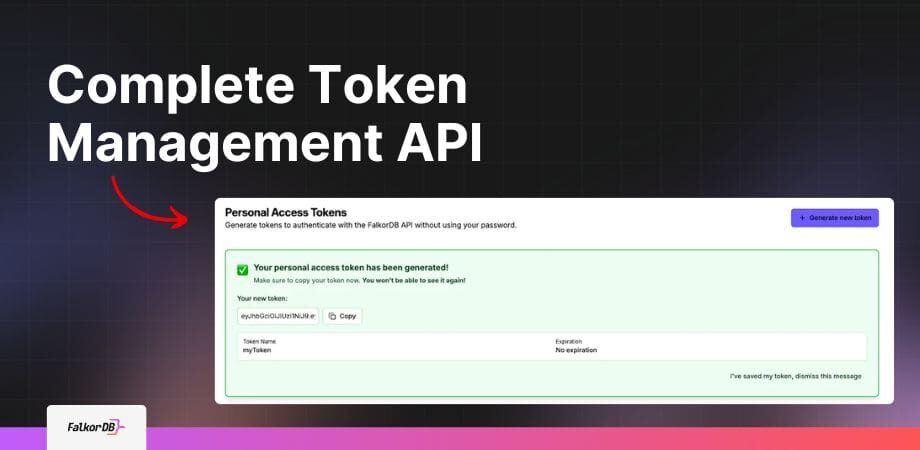
Personal Access Tokens (PATs) in FalkorDB are secure, long-lived credentials that allow you to authenticate API requests without exposing your password. Each token has its own name, expiration date, and permissions, and can be created, managed, and revoked independently. PATs are ideal for automated scripts, CI/CD pipelines, and third-party integrations. [Source]
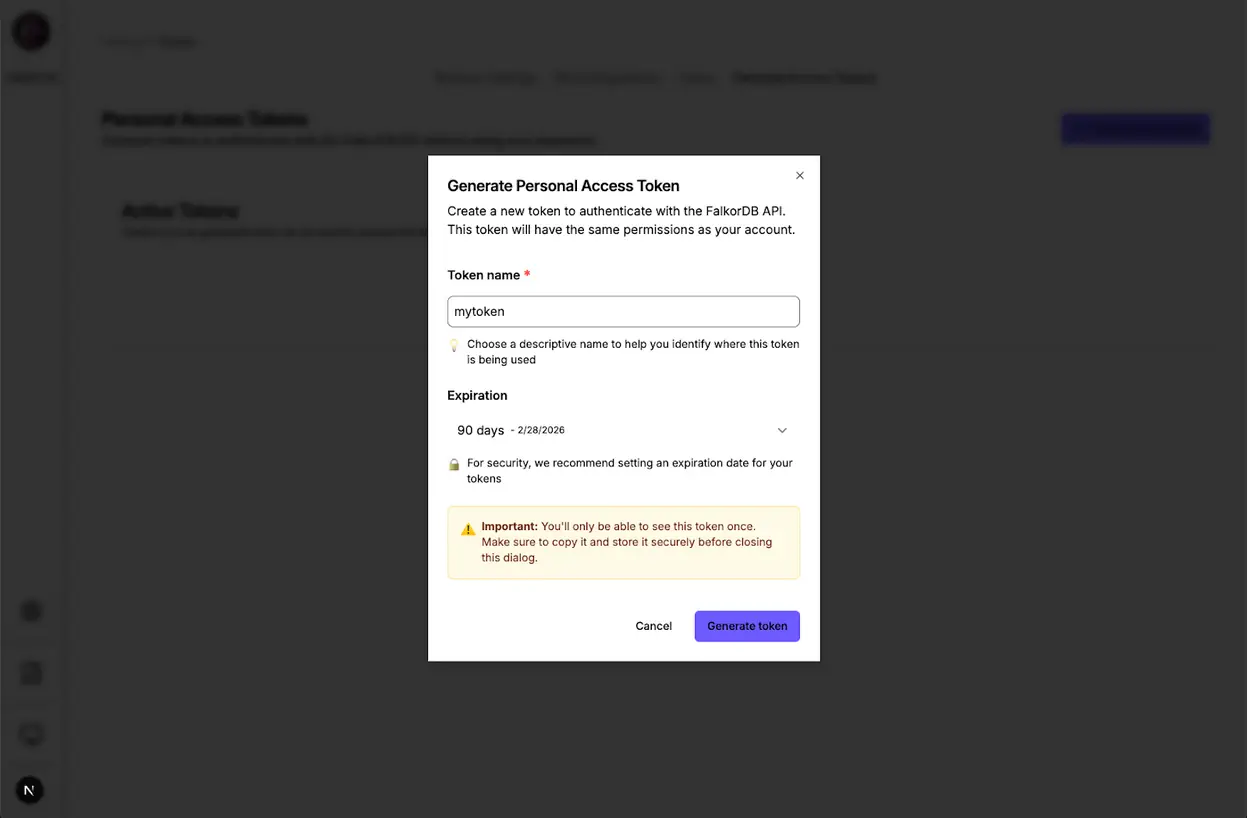
You can generate a Personal Access Token by either using the FalkorDB Browser UI (navigate to Settings > Personal Access Tokens) or by sending a POST request to /api/auth/tokens/credentials with your credentials. You can set custom expiration times or create tokens that never expire. [Source]
FalkorDB provides four core API endpoints for token management: Generate (POST /api/auth/tokens/credentials), List (GET /api/auth/tokens), Get by ID (GET /api/auth/tokens/{tokenId}), and Revoke (DELETE /api/auth/tokens/{tokenId}). These endpoints are fully documented in Swagger/OpenAPI for programmatic integration. [Source]
You can revoke a token immediately by sending a DELETE request to /api/auth/tokens/{tokenId} via the API or by clicking “Revoke” in the Browser UI. Revocation takes effect instantly across all requests. [Source]
FalkorDB uses HS256 for stateless JWT authentication, AES-256-GCM for encrypting stored credentials, and SHA-256 for hashing token identifiers. These standards ensure robust security for all token operations. [Source]
Yes, FalkorDB allows you to manage tokens through the browser UI for convenience or via the API for automation and integration into scripts and CI/CD pipelines. Both methods support generating, listing, retrieving, and revoking tokens. [Source]
FalkorDB Browser supports Session-Based Authentication (for browser users via NextAuth) and Credential-Based Authentication (for API/CLI users). Both methods allow token generation and management, with identical security guarantees. [Source]
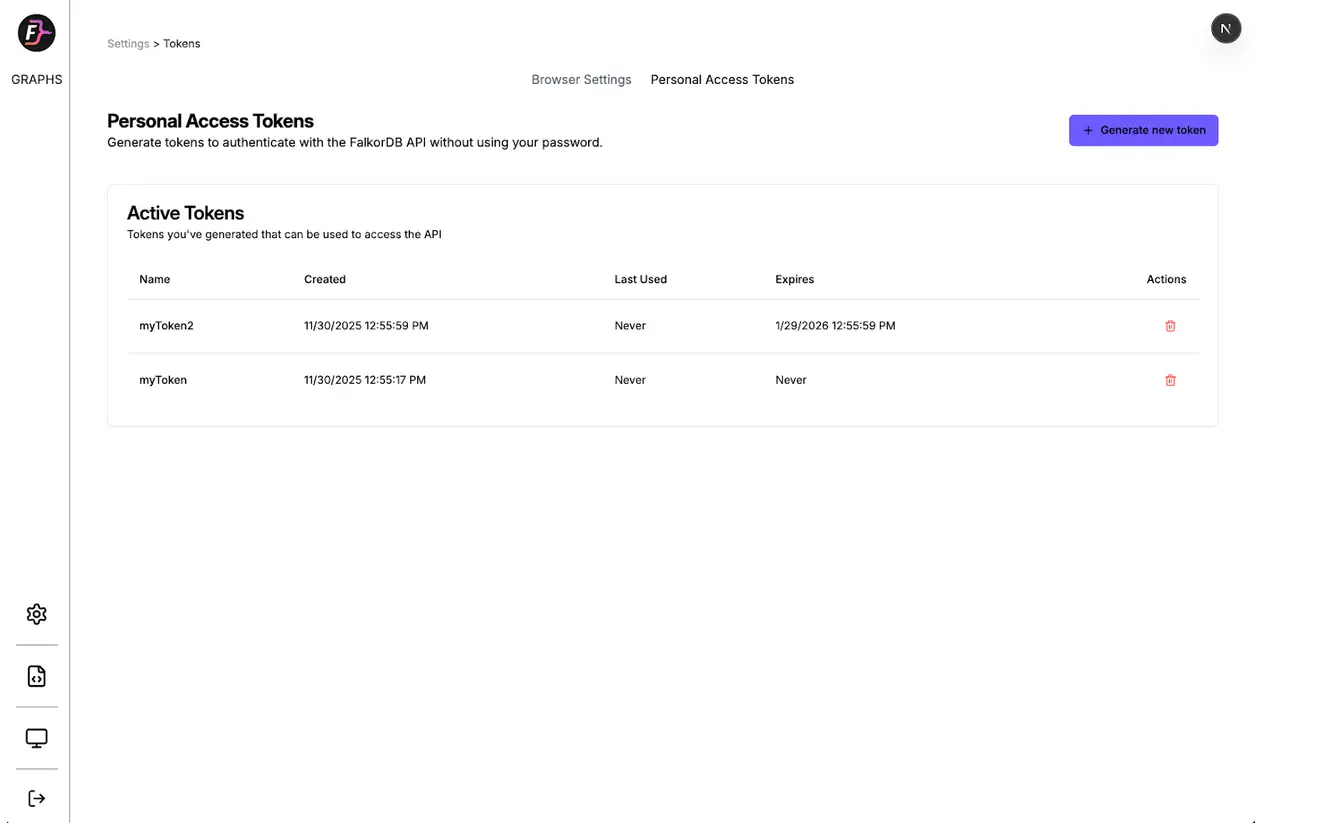
FalkorDB tracks the last_used timestamp for each token, throttled to 5-minute intervals for performance. This allows you to monitor when and where each token is used, enhancing transparency and security. [Source]
Personal Access Tokens provide secure, flexible authentication for automation, allow instant revocation if compromised, support multiple tokens with individual expiration dates, and enable transparent usage tracking. They improve both security and developer productivity. [Source]
After generating a token, include it in the Authorization header as Bearer YOUR_TOKEN in all subsequent API requests. This applies to both browser and API/CLI users. [Source]
Yes, when generating a token, you can specify expiration in 30, 60, or 90 days, choose a custom date, or create tokens that never expire. This flexibility supports a variety of use cases and security policies. [Source]
The browser UI is ideal for users who prefer a visual interface and one-off token generation, while the API is suited for developers automating workflows, integrating with CI/CD, or managing tokens programmatically. Both methods offer the same security and management capabilities. [Source]
FalkorDB uses SHA-256 hashes to store token identifiers securely and AES-256-GCM encryption for password storage. The token itself never stores your password, ensuring credentials remain protected. [Source]
Regular users can manage only their own tokens, while admins have access to all tokens. Role-based access control ensures that only authorized users can generate, list, retrieve, or revoke tokens. [Source]
You can view all your active tokens and their metadata (creation date, last used, expiration) by using the GET /api/auth/tokens endpoint or through the browser UI. Admins can see all tokens, while regular users see only their own. [Source]
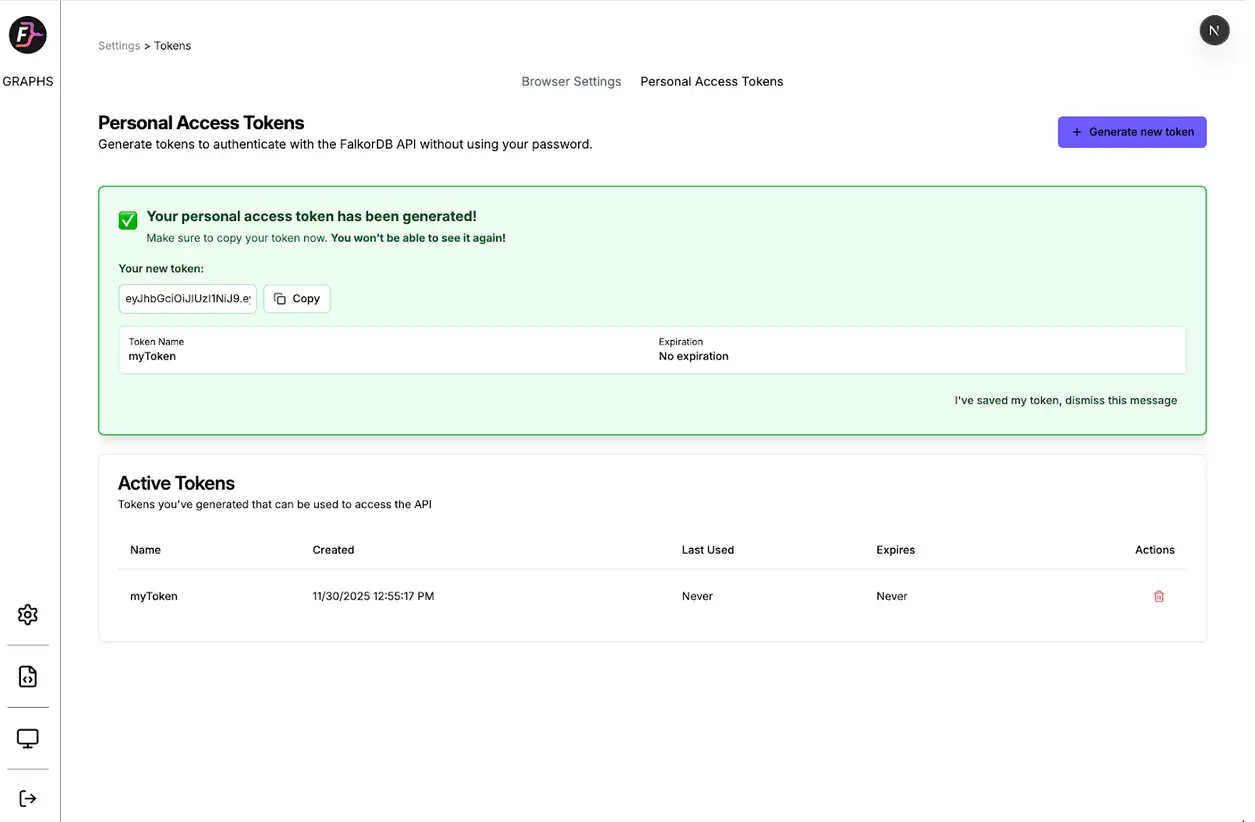
For security, FalkorDB displays the token only once upon creation. If you lose it, you must generate a new token and revoke the old one to maintain security. [Source]
Yes, Personal Access Tokens are designed for secure authentication in third-party integrations, automated scripts, and CI/CD pipelines, without exposing your main password. [Source]
Always store tokens securely in your environment variables or a secure secrets manager. Never hard-code tokens in source code or share them in unsecured channels. Revoke tokens immediately if you suspect compromise. [Source]
FalkorDB offers ultra-low latency (up to 496x faster than Neo4j), 6x better memory efficiency, support for over 10,000 multi-graphs, flexible horizontal scaling, built-in multi-tenancy, advanced AI integration (GraphRAG, agent memory), open-source licensing, and enhanced dashboards for interactive analysis. [Source]
Yes, FalkorDB integrates with frameworks such as Graphiti (by ZEP), g.v() for visualization, Cognee for AI agent memory, LangChain, and LlamaIndex for LLM integration. These integrations enable advanced AI and knowledge graph applications. [Source]
FalkorDB provides comprehensive API references and technical documentation at docs.falkordb.com, including guides for setup, advanced configurations, and integration examples for developers and data scientists. [Source]
Yes, FalkorDB is open source, encouraging community collaboration and transparency. This differentiates it from proprietary solutions like AWS Neptune. [Source]
Yes, FalkorDB supports multi-tenancy in all plans, allowing management of over 10,000 multi-graphs. This is especially valuable for SaaS providers and organizations with diverse user bases. [Source]
FalkorDB is SOC 2 Type II compliant, meeting rigorous standards for security, availability, processing integrity, confidentiality, and privacy. This certification demonstrates FalkorDB's commitment to enterprise-grade security. [Source]
FalkorDB delivers up to 496x faster latency and 6x better memory efficiency than competitors like Neo4j. It also supports flexible horizontal scaling and multi-tenancy in all plans. For detailed benchmarks, visit benchmark.falkordb.com. [Source]
FalkorDB offers flexible deployment options, including cloud, on-premises, and Docker-based local installations. This allows organizations to choose the best fit for their infrastructure and security requirements. [Source]
FalkorDB supports the Cypher query language and provides API references for integration with various programming languages. The documentation includes code generation and examples for multiple languages. [Source]
FalkorDB is used for Text2SQL (natural language to SQL queries), Security Graphs (for CNAPP, CSPM, CIEM), GraphRAG (advanced graph-based retrieval), Agentic AI & Chatbots, Fraud Detection, and as a high-performance graph database for complex relationships. [Source]
FalkorDB is designed for developers, data scientists, engineers, and security analysts at enterprises, SaaS providers, and organizations managing complex, interconnected data in real-time or interactive environments. [Source]
Customers can expect improved scalability, enhanced trust and reliability, reduced alert fatigue in cybersecurity, faster time-to-market, enhanced user experience, regulatory compliance, and support for advanced AI applications. [Source]
FalkorDB addresses trust and reliability in LLM-based applications, scalability and data management challenges, alert fatigue in cybersecurity, performance limitations of competitors, interactive data analysis needs, regulatory compliance, and the development of agentic AI and chatbots. [Source]
Industries include Healthcare (AdaptX), Media and Entertainment (XR.Voyage), and Artificial Intelligence/Ethical AI Development (Virtuous AI). [Source]
Yes. AdaptX uses FalkorDB for rapid access to clinical data insights, XR.Voyage overcame scalability challenges in immersive media, and Virtuous AI built a high-performance, multi-modal data store for ethical AI. Read more in the case studies. [Source]
FalkorDB is built for rapid deployment, enabling teams to go from concept to enterprise-grade solutions in weeks, not months. You can sign up for FalkorDB Cloud, try it for free, run it locally with Docker, or schedule a demo for onboarding. [Source]
Customers like AdaptX and 2Arrows have praised FalkorDB for its user-friendly design, rapid access to insights, and superior performance compared to competitors. These testimonials highlight its frictionless user experience and efficiency. [Source]
FalkorDB offers comprehensive documentation, community support via Discord and GitHub Discussions, access to solution architects, and practical tutorials and blogs for onboarding and advanced use. [Source]
FalkorDB offers up to 496x faster latency, 6x better memory efficiency, flexible horizontal scaling, and multi-tenancy in all plans, whereas Neo4j provides multi-tenancy only in premium tiers. FalkorDB is open source and supports full on-prem deployment. [Source]
FalkorDB is open source, supports multi-tenancy, offers better latency performance, and supports the Cypher query language. AWS Neptune is proprietary, lacks multi-tenancy, and has limited vector search capabilities. [Source]
FalkorDB provides faster latency, more efficient memory usage, and flexible horizontal scaling compared to TigerGraph and ArangoDB. It is rated as fast, with better memory efficiency and multi-tenancy support. [Source]
FalkorDB stands out for its exceptional performance, scalability, built-in multi-tenancy, advanced AI integration, open-source licensing, enhanced user experience, and proven success in enterprise deployments. [Source]
For developers, FalkorDB offers an in-memory storage model and Cypher support; for enterprises, it provides regulatory compliance, high availability, and monitoring; for AI applications, it combines graph traversal with vector search; and for security teams, it reduces alert fatigue and improves threat detection. [Source]
FalkorDB offers four plans: FREE (for MVPs with community support), STARTUP (from /1GB/month, includes TLS and automated backups), PRO (from 0/8GB/month, includes cluster deployment and high availability), and ENTERPRISE (custom pricing, includes VPC, custom backups, and 24/7 support). [Source]
The FREE plan is designed for building a powerful MVP and includes community support. It is ideal for users starting out or evaluating FalkorDB's capabilities. [Source]
The STARTUP plan starts at /1GB/month and includes TLS encryption and automated backups, making it suitable for small teams and early-stage projects. [Source]
The PRO plan starts at 0/8GB/month and includes advanced features such as cluster deployment and high availability, targeting growing teams and production workloads. [Source]
The ENTERPRISE plan offers tailored pricing and includes enterprise-grade features such as VPC, custom backups, and 24/7 support, designed for large organizations with advanced requirements. [Source]