

You’ve probably built a Retrieval Augmented Generation(RAG) system before. You throw your documents into a vector database, embed them, and call it a day. It works… until it doesn’t.
Here’s what happens: A user asks your system “What happens if I pass an invalid parameter to the user creation endpoint?” and your vector database happily returns three similar-sounding documents. But none of them actually answer the question. They just contain similar words. The system hallucinates a plausible answer, and your user wastes an hour debugging something that never was a problem.
The real issue? Vector databases don’t understand relationships. They understand similarity. And similarity isn’t the same as relevance.
Using an API documentation for example, if you want to query how it works using RAG, what you actually need is to understand that endpoint A has parameter B, that parameter B requires type C, and that using the wrong type returns error D. These relationships matter. But standard vector search treats all this as disconnected pieces of text.
How a Graph fits in
Instead of storing information as flat chunks of text, what if you stored it as a graph? Endpoints connect to parameters. Parameters connect to types. Endpoints return specific errors. Suddenly, “What happens if I pass an invalid parameter?” becomes a simple relationship traversal. The system doesn’t guess, it knows!
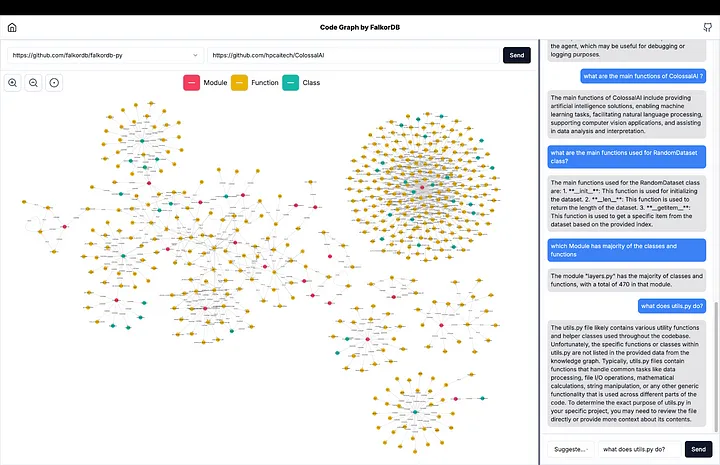
This is where FalkorDB comes in. It’s a graph database purpose-built for exactly this: storing entities and the relationships between them, then querying those relationships at speed.
Next, you need to parse your documentation, extract entities, figure out relationships, handle edge cases. Most teams either do it manually (which doesn’t scale) or give up entirely.
This is where Graphiti shines. It’s an open-source Python library that automates this extraction. Feed it your API documentation, and it intelligently pulls out endpoints, parameters, types, and errors then builds the relationships automatically.
N8N orchestrates everything. It pulls the data, orchestrates your workflow, talks to the graph database, and calls OpenAI for reasoning. No microservices. No deployment complexity. Just a visual workflow.
Together, these four pieces create something genuinely more powerful than standard RAG. You’re not hoping similarity search finds the right document. You’re traversing a map of knowledge and then asking a large language model(LLM) to synthesize what you find.
Let’s build it.
What you'll build
By the end of this guide, you’ll have:
- A knowledge graph of API documentation (endpoints, parameters, types, errors, and relationships)
- An N8N workflow that accepts questions about your API
- Intelligent retrieval that traverses relationships instead of guessing at similarity
- An LLM layer (OpenAI) that synthesizes the retrieved data into human-readable answers.
For this example, we’re using technical API documentation from Petstore but this architecture works for customer support knowledge bases, internal wikis, compliance documentation, or any domain where relationships matter.
Part 1: Setting up your foundation
Prerequisites
Before you start, you’ll need:
- FalkorDB: A graph database for storing your knowledge
- N8N (1.50+): Workflow automation
- Graphiti: Python library for knowledge extraction
- OpenAI API key: For LLM reasoning. This is a must for the setup to work.
- Node.js 18+: For N8N and local development
- Python 3.10+: For Graphiti scripts
- Docker (recommended): For running FalkorDB and N8N
Note: If you’re on macOS or Linux, everything below will work. Windows users: WSL2 will be your friend here.
Getting FalkorDB and N8N running (Together)
Note: Both services need to be on the same Docker network to communicate. Run these commands in order:
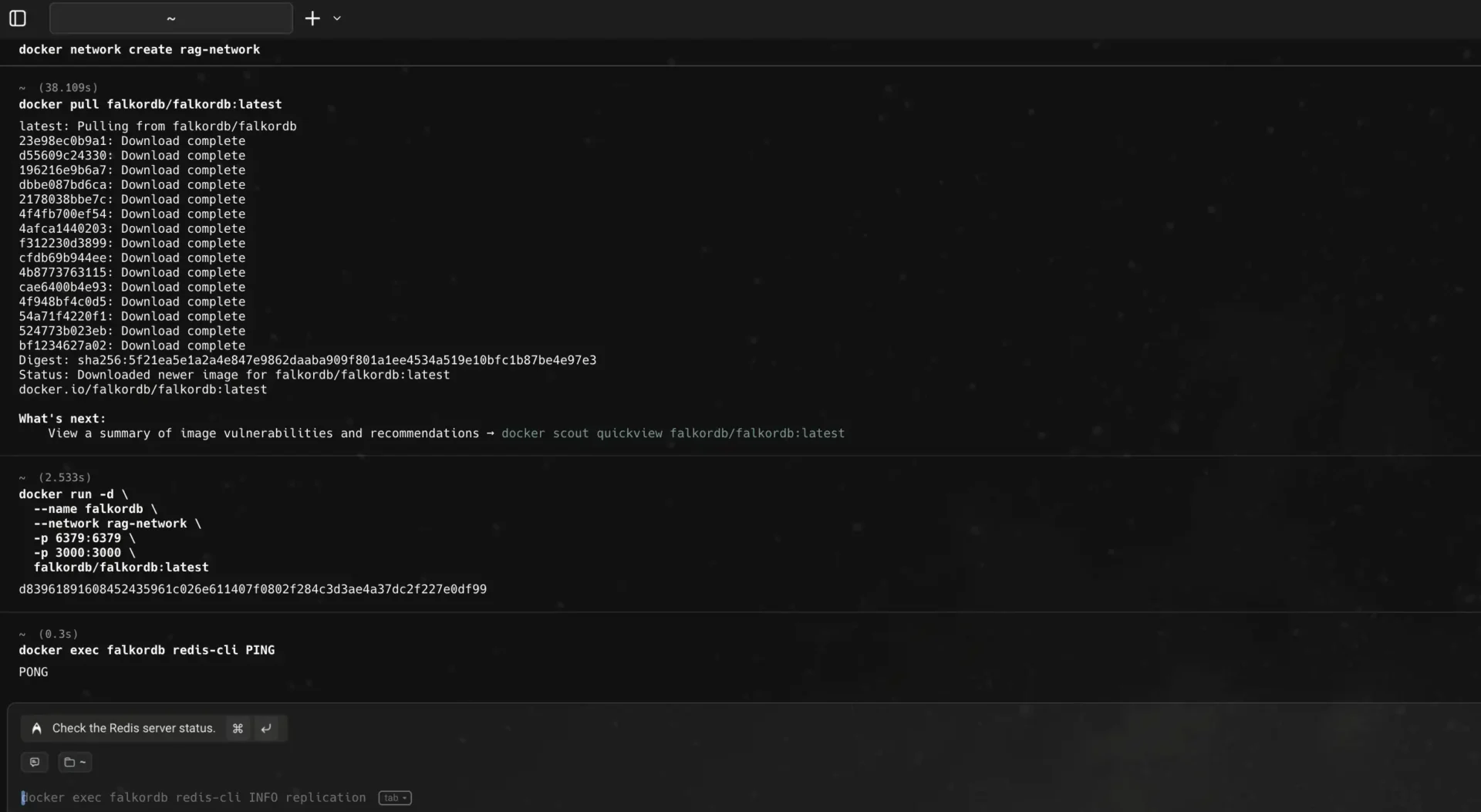
First, create a shared network:
docker network create rag-network
Now, start FalkorDB and ensure it is running. You’ll see a Pong at the end.
					docker run -d \
  --name falkordb \
  --network rag-network \
  -p 6379:6379 \
  -p 3000:3000 \
  falkordb/falkordb:latest
docker exec falkordb redis-cli PING
Now start N8N on the same network:
					docker run -d \\
  --name n8n \\
  --network rag-network \\
  -p 5678:5678 \\
  -e NODE_ENV=production \\
  -e WEBHOOK_URL=http://localhost:5678 \\
  n8n
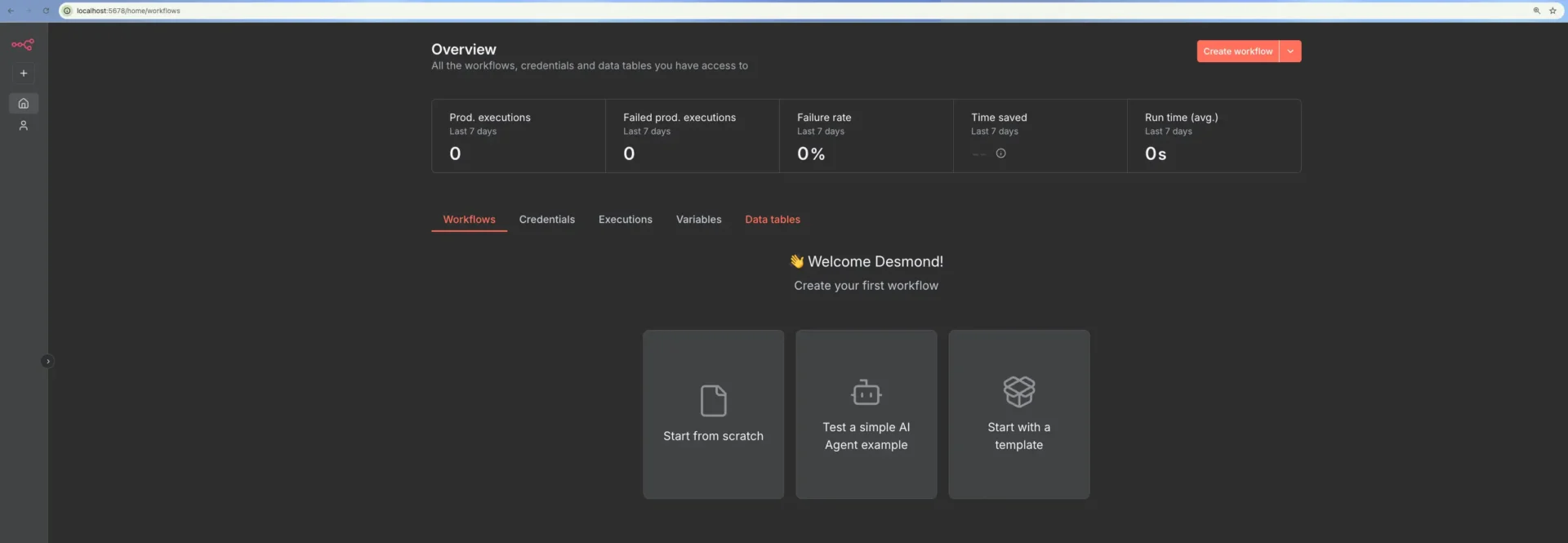
Open your browser to http://localhost:5678. You’ll create an admin account on first login. This is your workspace, keep this tab open.
Installing Python Dependencies
Open a terminal (not the Docker terminal):
					pip3 install graphiti-core[falkordb] redis flask
python -c "import graphiti; import redis; import flask; print('✓ Ready to go')"
You now have everything. Let’s start building.
Part 2: Building Your Knowledge Graph
Here’s the reality: You can’t query relationships that don’t exist yet. So first, we need to build a graph from your API documentation.
Understanding Your Knowledge Graph
Think of your knowledge graph like a map. Instead of cities and roads, you have:
- Entities: API endpoints, parameters, error codes, data types
- Relationships: “This endpoint has this parameter”, “This parameter has this type”, “This endpoint returns this error”
For example:
POST /users
├─ has parameter: email (type: string)
├─ has parameter: name (type: string)
└─ returns error: 400 (invalid email)
When someone asks “What parameters does /users need?”, you don’t search for similar text. You follow the has parameter relationships. Exact, reliable, fast.
Extracting Entities From Your API Docs
Here, Graphiti does the heavy lifting. You give it your OpenAPI/Swagger specification (or raw documentation), and it extracts this structure automatically. In the code below, we classify the OpenAPI specs to nodes and the relationships they have amongst themselves, generate the knowledge graph. Create a directory and name it graph-rag then go ahead to create a file in it called openapi.json . Copy the JSON data from the Petstore OpenAPI to the file before we continue to the extraction.
After that, create a file called extract_knowledge.py we will use to extract knowledge graphs from the technical documentation. This will be the content of the extraction script.
					import asyncio
import json
from datetime import datetime
from graphiti_core import Graphiti
from graphiti_core.driver.falkordb_driver import FalkorDriver

openapi_file = 'openapi.json'
with open(openapi_file, 'r') as f:
    openapi = json.load(f)

async def clear_database(driver):
    """Delete and recreate the documentation database"""
    print("Clearing database...")
    try:
        # Delete the graph if it exists
        await driver.client.execute_command('GRAPH.DELETE', 'documentation')
        print("✓ Database cleared")
    except Exception as e:
        print(f"⚠ Could not delete existing database: {e}")

async def create_indices(graphiti):
    """Build Graphiti indices and constraints"""
    print("Building indices...")
    try:
        await graphiti.build_indices_and_constraints()
        print("✓ Indices created successfully")
    except Exception as e:
        print(f"⚠ Index creation skipped: {e}")

async def extract_knowledge():
    # Initialize FalkorDB driver
    driver = FalkorDriver(
        host='localhost',
        port=6379,
        database='documentation'
    )

    # Clear database first
    await clear_database(driver)

    # Initialize Graphiti after cleanup
    graphiti = Graphiti(graph_driver=driver)

    # Create indices
    await create_indices(graphiti)

    print("\\nAdding episodes to FalkorDB...")
    episode_count = 0

    for path, path_item in openapi.get('paths', {}).items():
        for method, details in path_item.items():
            if method.startswith('x-'):
                continue

            summary = details.get('summary', '')
            description = details.get('description', '')

            # Build episode text with all details
            params_text = ""
            for param in details.get('parameters', []):
                param_type = param.get('schema', {}).get('type', 'string')
                required = "required" if param.get('required', False) else "optional"
                param_desc = param.get('description', '')
                params_text += f"\\n- {param['name']} ({param_type}, {required}): {param_desc}"

            body_text = ""
            if 'requestBody' in details:
                request_body = details['requestBody']
                content = request_body.get('content', {})
                for content_type, content_obj in content.items():
                    schema = content_obj.get('schema', {})
                    if schema.get('type') == 'object':
                        for prop_name, prop_schema in schema.get('properties', {}).items():
                            prop_type = prop_schema.get('type', 'string')
                            required = "required" if prop_name in schema.get('required', []) else "optional"
                            body_text += f"\\n- {prop_name} ({prop_type}, {required})"

            errors_text = ""
            for status_code, response in details.get('responses', {}).items():
                if status_code == 'default':
                    continue
                errors_text += f"\\n- {status_code}: {response.get('description', '')}"

            episode_body = f"""
API Endpoint: {method.upper()} {path}
Summary: {summary}
Description: {description}

Path & Query Parameters: {params_text}

Request Body Fields: {body_text}

Response Codes: {errors_text}
"""

            try:
                await graphiti.add_episode(
                    name=f"{method.upper()} {path}",
                    episode_body=episode_body,
                    reference_time=datetime.now(),
                    source_description="OpenAPI specification"
                )
                print(f"✓ {method.upper()} {path}")
                episode_count += 1
            except Exception as e:
                print(f"✗ {method.upper()} {path}: {e}")

    print(f"\\n✓ Extraction complete!")
    print(f"  - Database cleared and reinitialized")
    print(f"  - {episode_count} API endpoints extracted")
    print(f"  - Indices created for optimal search")
    print(f"  - Knowledge graph ready for N8N queries")

    await graphiti.close()

if __name__ == "__main__":
    asyncio.run(extract_knowledge())
Populating FalkorDB With Graphiti
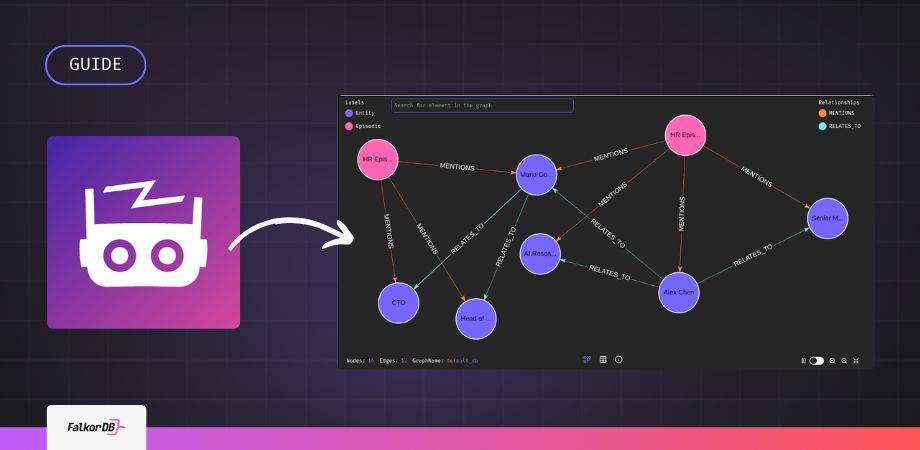
Instead of manually writing Cypher queries to create nodes and relationships, Graphiti automates the knowledge extraction and population process using an LLM.
How Graphiti Works:
- Reads your OpenAPI spec as text (the episode)
- Uses LLM intelligence (GPT-4) to extract:
- Entities: API endpoints, parameters, response codes, schemas
- Relationships: which parameters belong to which endpoints, what errors they return
- Creates a temporal knowledge graph with:
- Episodic nodes: Each API endpoint becomes an episode with the full specification text
- Entity nodes: Parameters, schemas, error codes extracted by the LLM
- MENTIONS relationships: How entities relate to the episode
- Temporal tracking: When facts were valid, when they were created (for time-aware queries)
- Builds indices for fast semantic and keyword search
The advantage over manual scripts:
- No need to manually define node structure
- LLM understands context and relationships semantically
- Temporal tracking automatically included
- One script does extraction + indexing + population
Running the extraction
					## Make sure you export OpenAI API key. Graphiti uses for knowledge extraction
export OPENAI_API_KEY=sk-proj-xxxxxxxxxx

## Run the script
python3 extract_knowledge.py
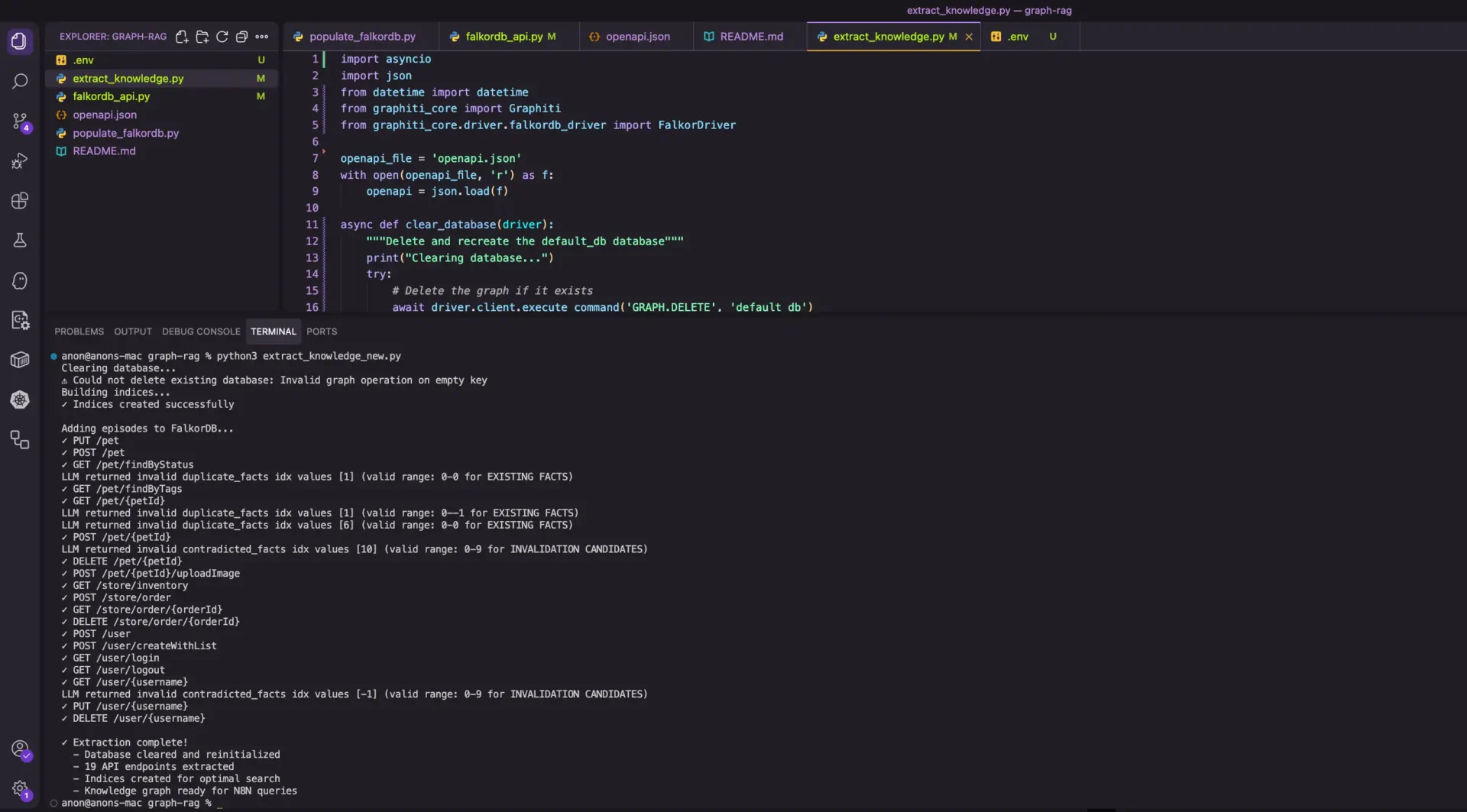
This single script:
- Clears the old database if any.
- Initializes Graphiti indices
- Reads your OpenAPI spec
- Extracts knowledge using LLM
- Populates FalkorDB automatically
- Ready for queries
Verify it worked:
					docker exec falkordb redis-cli GRAPH.QUERY documentation "MATCH (n) RETURN COUNT(n) as count"


## You should see count > 0. The knowledge graph is now populated and ready for N8N.
Part 3: Creating a FalkorDB API Wrapper
N8N’s sandboxed environment can’t directly query FalkorDB as of the writing of this guide. We’ll create a simple Flask API that N8N can call over HTTP, then verify it is running.
					Create falkordb_api.py:
from flask import Flask, request, jsonify
from falkordb import FalkorDB

app = Flask(__name__)

# Connect to FalkorDB
db = FalkorDB(host='falkordb', port=6379)
graph = db.select_graph('default_db')

@app.route('/query', methods=['POST'])
def query():
    data = request.json
    cypher = data.get('cypher', '')
    if not cypher:
        return jsonify({'error': 'No cypher query provided'}), 400
    try:
        result = graph.query(cypher)

        # Format result for N8N
        formatted = format_result(result)

        return jsonify({
            'success': True,
            'result': result.result_set,
            'formatted': formatted
        })
    except Exception as e:
        return jsonify({'error': str(e)}), 500

def format_result(result):
    """Format FalkorDB result for readability"""
    if not result or not result.result_set:
        return "No data found"

    # Just format the raw result_set
    data = result.result_set
    formatted = f"Data:\\n{str(data)}"
    return formatted

if __name__ == '__main__':
    app.run(host='0.0.0.0', port=5000, debug=False)

Build and run it in Docker on the same network as the graph database and n8n:
docker build -t falkordb-api -f - . << 'EOF'
FROM python:3.11-slim
WORKDIR /app
RUN pip install flask falkordb
COPY falkordb_api.py .
CMD ["python", "falkordb_api.py"]
EOF
					docker run -d \\
  --name falkordb-api \\
  --network rag-network \\
  -p 5000:5000 \\
  falkordb-api
					curl -X POST <http://localhost:5000/query> \\
  -H "Content-Type: application/json" \\
  -d '{"cypher": "MATCH (n) RETURN COUNT(n) as count"}'
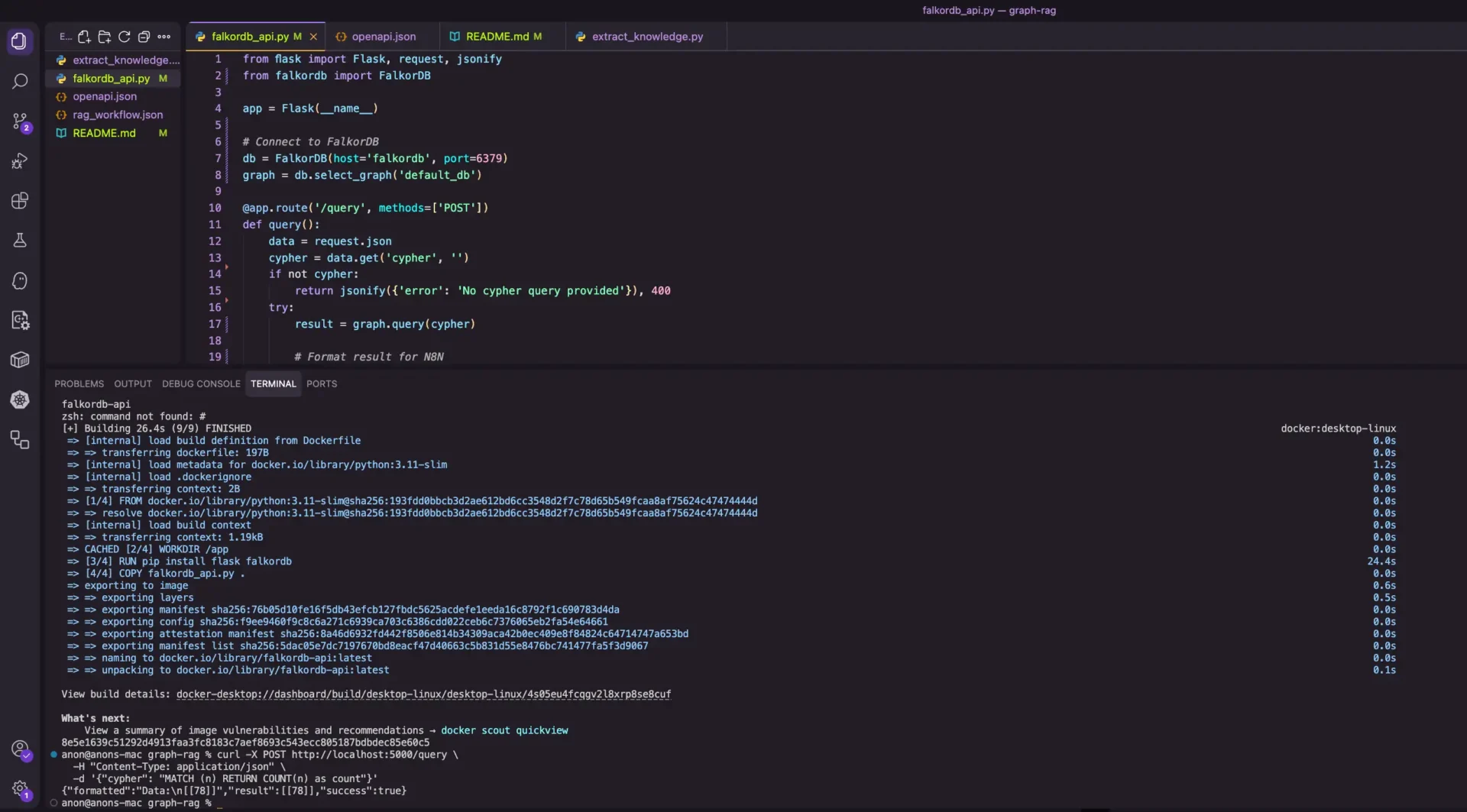
The expected result: You should get back JSON with your node count.
Part 4: Building Your N8N Workflow
Now comes the fun part: Building the workflow that ties everything together.
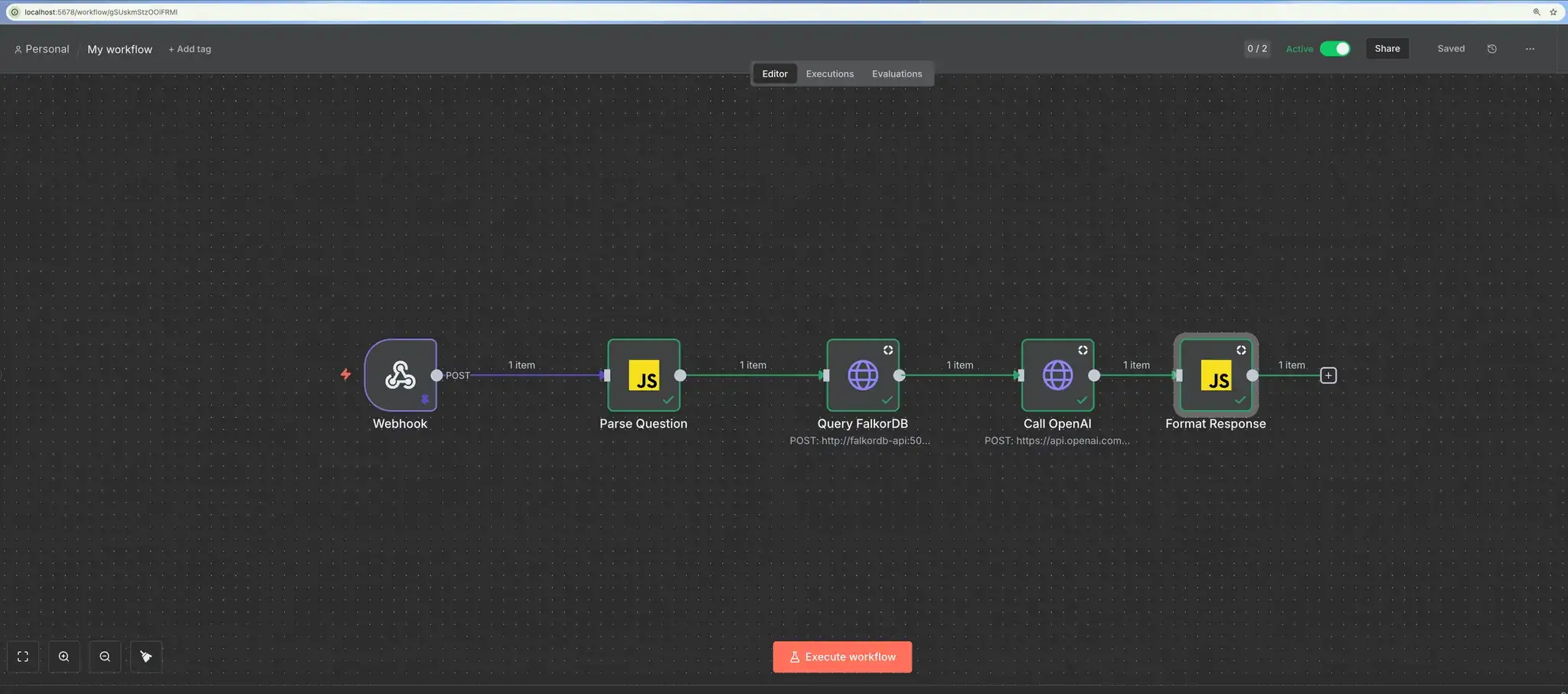
The Workflow Concept
Your N8N workflow will do this:
- Accept a question via webhook
- Parse the question to understand what’s being asked
- Query FalkorDB to retrieve the relevant knowledge
- Send to OpenAI to synthesize an answer
- Return the result with confidence scores
Step 1: Add the Webhook Trigger
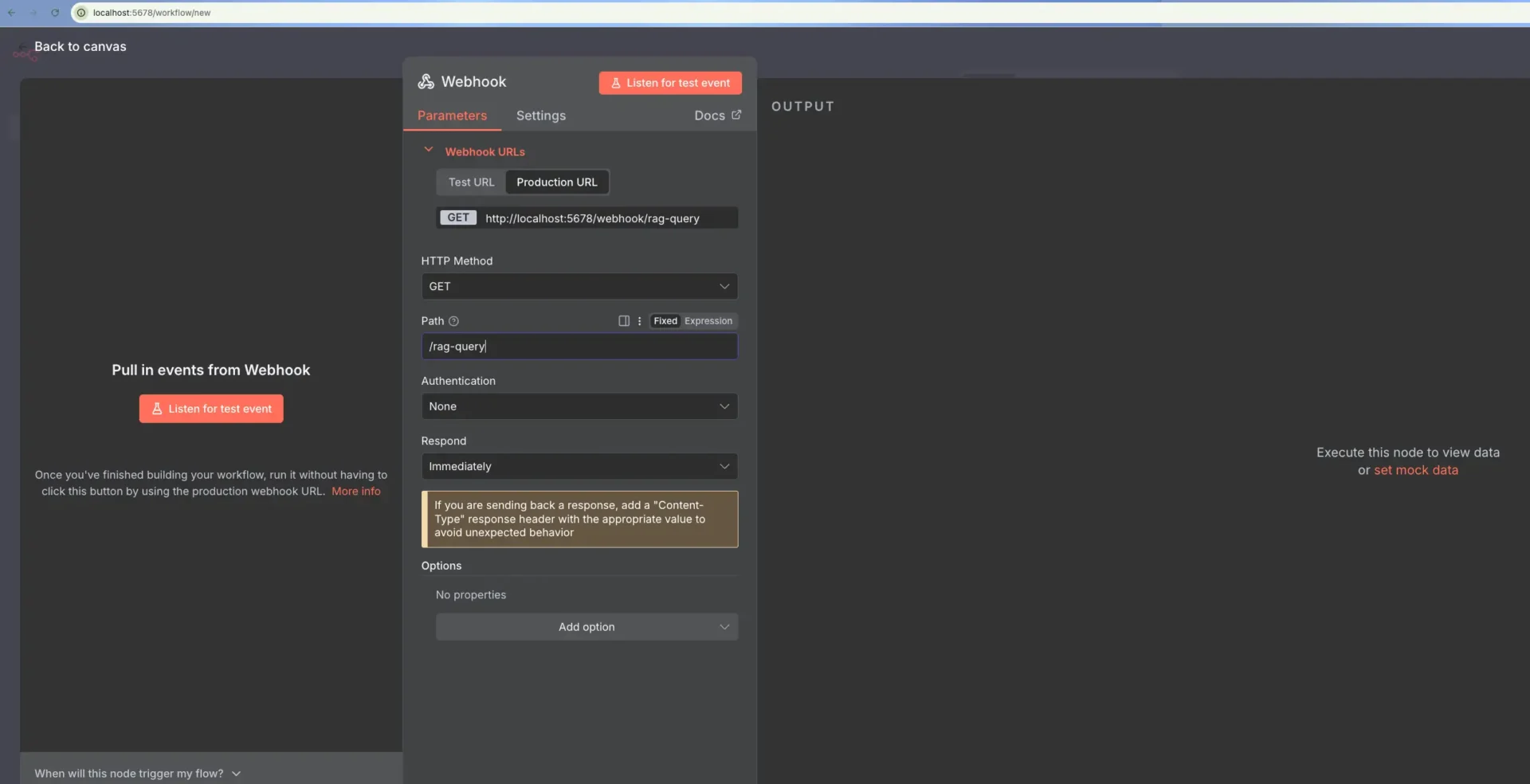
In N8N, click “+ Add first step” and choose “Webhook”.
Configure it:
- Method: POST
- Path: /rag-query
This creates an endpoint that your workflow listens to.
Step 2: Parse the Question (Code Node)
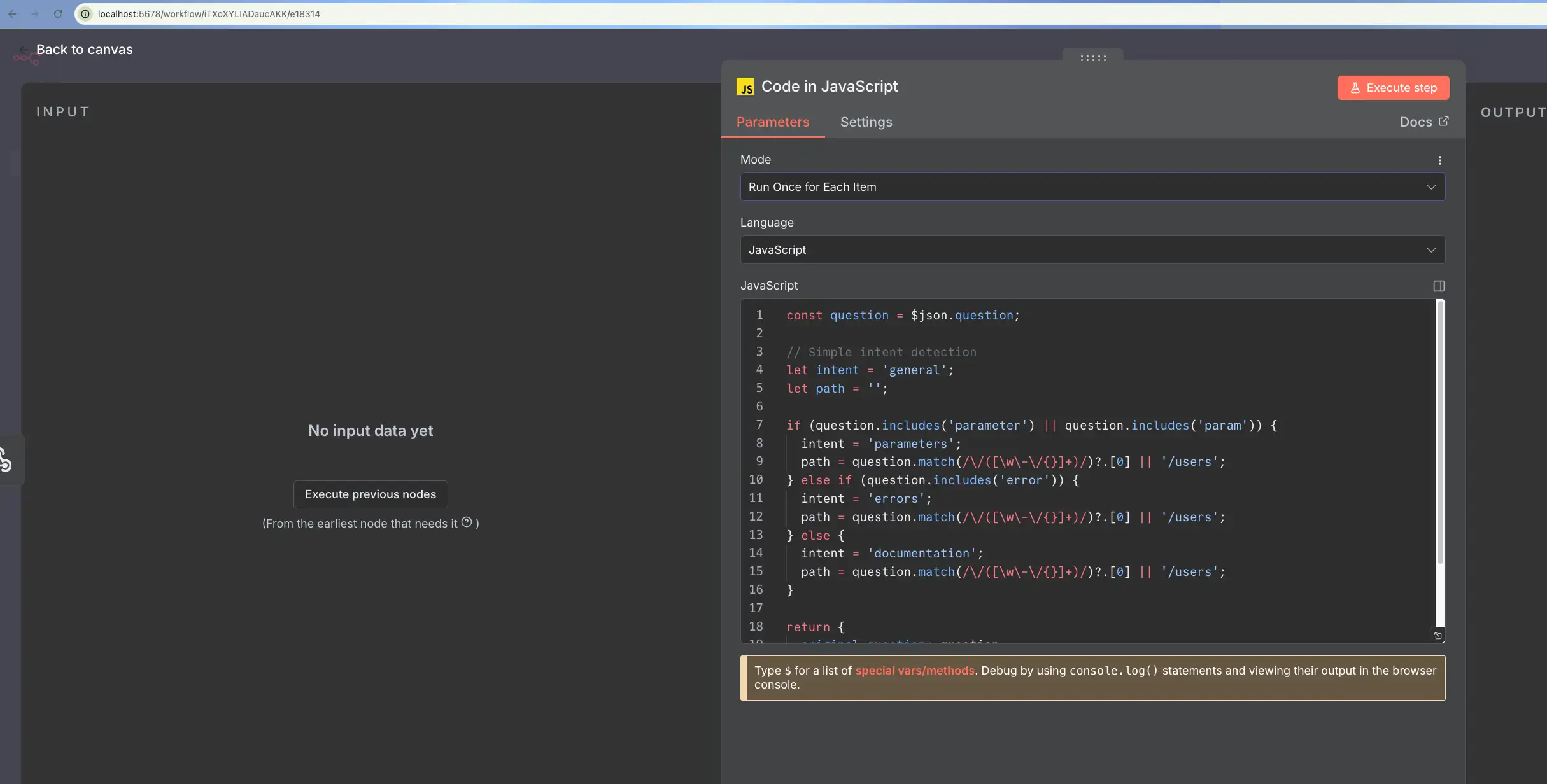
Add a “Code(JavaScript)” node to analyze what the user is asking, ensuring you set it to “Run Once for Each Item”:
					const question = $json.body.question || '';

let intent = 'general';
let path = '';

if (question.includes('parameter') || question.includes('param')) {
intent = 'parameters';
path = question.match(/\\/([\\w\\-\\/{}]+)/)?.[0] || '';
} else if (question.includes('error')) {
intent = 'errors';
path = question.match(/\\/([\\w\\-\\/{}]+)/)?.[0] || '';
}

// Extract method (GET, POST, PUT, DELETE)
let method = 'GET';
if (question.includes('POST')) method = 'POST';
if (question.includes('PUT')) method = 'PUT';
if (question.includes('DELETE')) method = 'DELETE';
if (question.includes('PATCH')) method = 'PATCH';

// Query Graphiti's Episodic structure
const cypher = `MATCH (e:Episodic) WHERE toLower(e.name) CONTAINS toLower('${method}') RETURN e.content LIMIT 1`;

return {
original_question: question,
intent: intent,
api_path: path,
cypher_query: cypher
};
Step 3: Query FalkorDB (HTTP Request)
Add an “HTTP Request” node to call your FalkorDB API wrapper. This sends the Cypher query to your Flask API, which queries FalkorDB and returns the results.
- Method: POST
- URL: http://falkordb-api:5000/query
- Body:
					{

  "cypher": "{{ $node['Parse Question'].json.cypher_query }}"

}
Step 4: Set Up OpenAI Credentials
Before adding the OpenAI node, set up credentials:
- Select Predefiend Credential Type as option for authentication
- Click the Credentials button (lock icon, bottom left)
- Click “+ New”
- Search for and select “OpenAI”
- Paste your OpenAI API key (get one at https://platform.openai.com/api-keys)
- Save
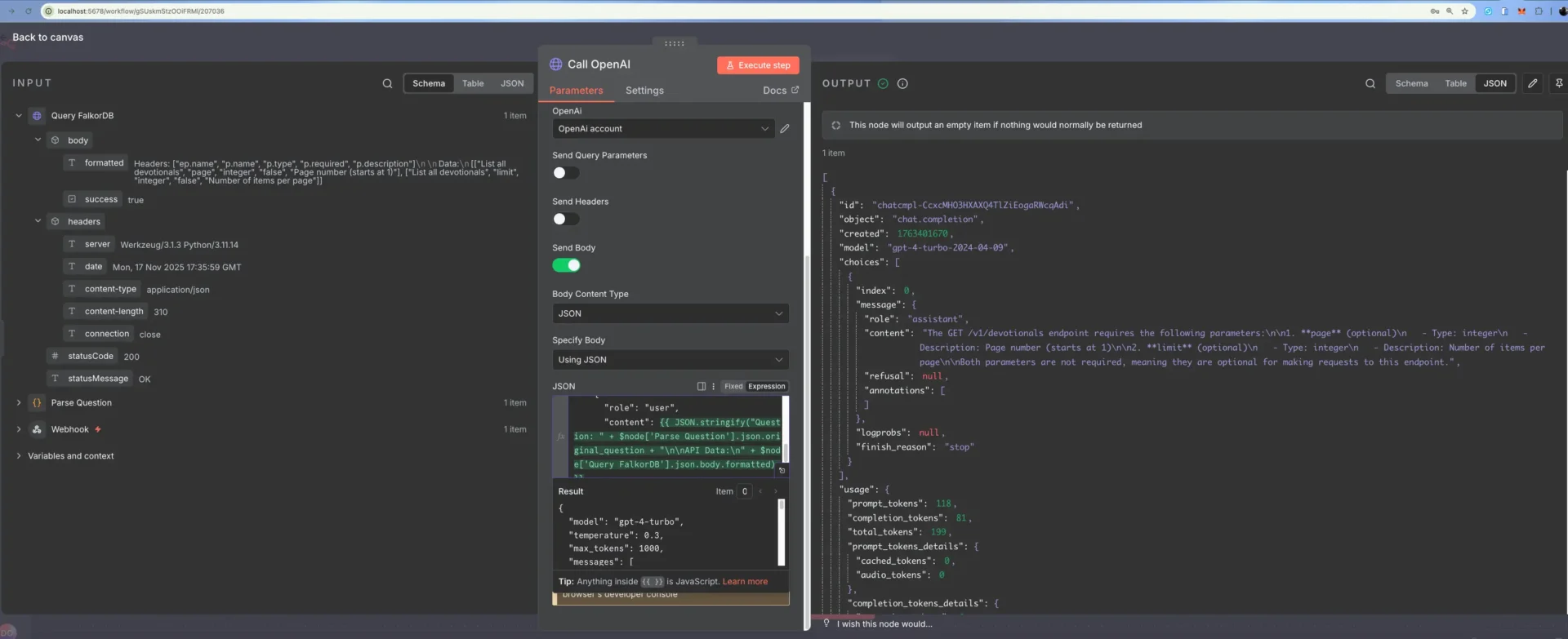
Step 5: Call OpenAI (HTTP Request)
Add an “HTTP Request” node, which will call OPenAI with the result of the graph query.
- Method: POST
- URL: https://api.openai.com/v1/chat/completions
- Authentication: Select the OpenAI credential you just created
- Body:
					{
  "model": "gpt-4-turbo",
  "temperature": 0.3,
  "max_tokens": 1000,
  "messages": [
    {
      "role": "system",
      "content": "You are a helpful API documentation assistant. Answer questions accurately based only on the provided context."
    },
    {
      "role": "user",
      "content": {{ JSON.stringify("Question: " + $node['Parse Question'].json.original_question + "\\n\\nAPI Data:\\n" + $node['Query FalkorDB'].json.body.formatted) }}
    }
  ]
}
Step 6: Format the Response (Code Node)
Add a final “Code(JavaScript)” node. This node formats the response from OpenAI to a simpler readable format:
					const openai_response = $node['Call OpenAI'].json;
const question_context = $node['Parse Question'].json;

return {
  question: question_context.original_question,
  answer: openai_response.choices[0].message.content,
  confidence: 0.85,
  timestamp: new Date().toISOString(),
  trace: {
    intent: question_context.intent,
    api_path: question_context.api_path
  }
};
Step 7: Test It
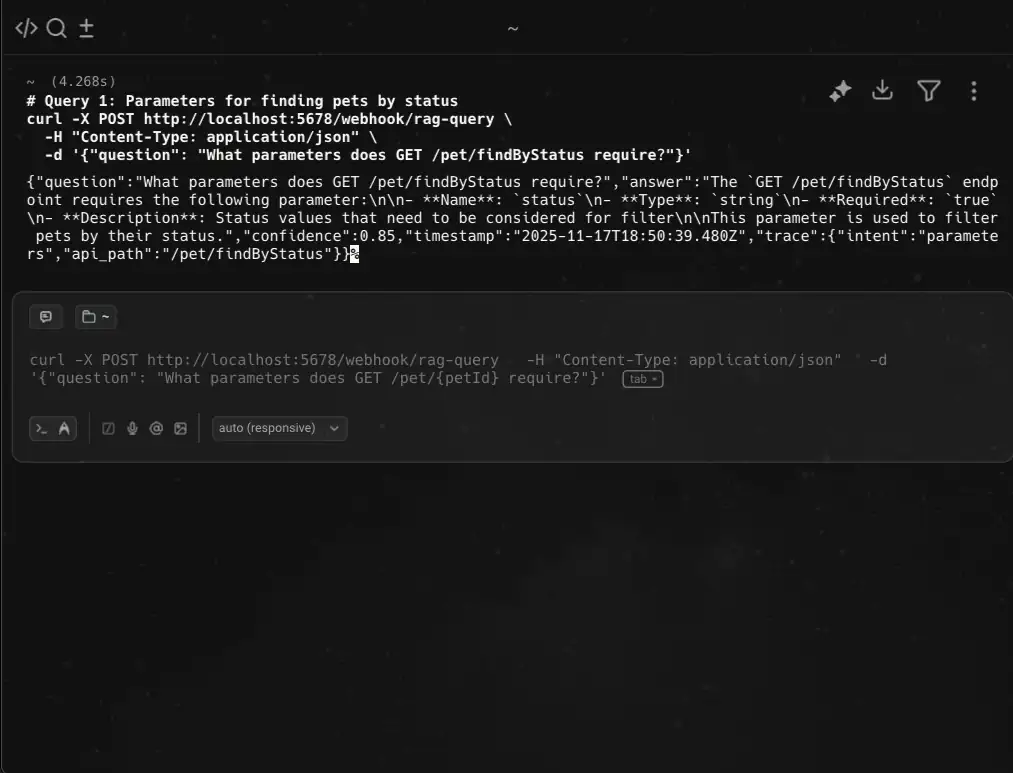
Click “Execute Workflow” to test locally, or use curl. You will get back a structured response with the answer synthesized from your knowledge graph.
					# Query: Parameters for finding pets by status
curl -X POST <http://localhost:5678/webhook/rag-query> \\
-H "Content-Type: application/json" \\
-d '{"question": "What parameters does GET /pet/findByStatus require?"}'
Common pitfalls to watch out for
Here are some common mistakes or pitfalls to look out for while building your automation with N8N and FalkorDB using Docker:
1. Docker Network Isolation
The Problem: Both FalkorDB and N8N containers start, but N8N can’t reach FalkorDB.
Why it happens: Containers on the default Docker network can’t communicate by hostname. You’ll see “Connection refused” errors when N8N tries to query FalkorDB.
Solution: Always create a shared network first:
					docker network create rag-network

docker run -d --name falkordb --network rag-network ... falkordb/falkordb:latest

docker run -d --name n8n --network rag-network ... n8nio/n8n
Use container hostnames in code (http://falkordb-api:5000, not localhost:5000). This is the number one cause of “it doesn’t work” in this setup.
2. JSON String Escaping in N8N Expressions
The Problem: FalkorDB returns formatted text with newlines. When you embed it directly in JSON for OpenAI, it breaks the JSON structure.
Bad approach:
{
“content”: “Question: What parameters?\\n\\nAPI Data:\\nHeaders: […]”
}
This fails because the newlines aren’t escaped.
Good approach: Use JSON.stringify() to escape everything:
					{

  "content": {{ JSON.stringify("Question: " + question + "\\n\\nAPI Data:\\n" + data) }}

}
The double curly braces tell N8N to evaluate the expression, and JSON.stringify() handles all escaping automatically.
3. Cypher Query Injection (Security + Correctness)
The Problem: Building Cypher queries with string concatenation is dangerous.
Bad:
const episodeName = `${method} ${path}`;
cypher = `MATCH (e:Episodic) WHERE e.name = ‘${episodeName}’ RETURN e.content`;
If a user includes a quote in their question (e.g., “What about the ‘ endpoint?”), the query breaks.
Better: Use parameter matching or validate input:
					const safePath = path.replace(/'/g, "");  // Sanitize quotes

const cypher = MATCH (e:Episodic) WHERE e.name CONTAINS '${method}' AND e.name CONTAINS '${safePath}' RETURN e.content LIMIT 1;
Or even safer, use FalkorDB’s parameter syntax if available, or filter results in code instead of in the query.
4. Graphiti Episode Ingestion Failures
The Problem: You run extract_knowledge.py, get a success message, but queries return empty results. Why: Graphiti failed silently during LLM-based episode extraction. Common causes:
- OPENAI_API_KEY not exported before running the script
- LLM rate limiting (too many concurrent requests)
- Network timeout connecting to OpenAI
Check: Always verify the database was populated:
docker exec falkordb redis-cli GRAPH.QUERY documentation “MATCH (n) RETURN COUNT(n) as count”
Should return count > 0. If it returns 0 or an error, the extraction failed. Re-run the script and check for errors in the output.
Prevention: Always export your OpenAI API key before running:
export OPENAI_API_KEY=sk-proj-xxxxxxxxxx
python3 extract_knowledge.py
5. N8N Code Nodes Timeout on Large Graphs
The Problem: If your knowledge graph has thousands of nodes and you write an inefficient Cypher query, N8N’s Code node will timeout (default 5 seconds).
Prevention: Test Cypher queries directly in FalkorDB first using docker:
docker exec falkordb redis-cli GRAPH.QUERY documentation “YOUR CYPHER HERE”
Make sure they return in < 1 second before embedding them in N8N.
6. Flask API Not on Same Network
The Problem: You create the FalkorDB API wrapper but don’t put it on the rag-network.
N8N can’t reach it. You get connection errors calling http://falkordb-api:5000.
Fix: Always include –network rag-network when running the Flask container.
7. OpenAI API Rate Limits
The Problem: If you test the workflow 50 times in a minute, OpenAI rate-limits your requests.
Prevention: The default GPT-4-turbo is expensive. For testing, use gpt-3.5-turbo. For production, add error handling:
					try {

  const response = await fetch(...);

  if (response.status === 429) {

    *// Rate limited, return cached result or retry*

  }

} catch (e) {

  *// Fallback to older answer if available*

}
About this graph implementation
Vector databases are approximate. Graph databases are exact. That’s the difference.
In a vector database, you’re searching for similarity. Sometimes the “most similar” document isn’t actually what you need. In a graph database, you’re traversing explicit relationships. Either a parameter belongs to an endpoint, or it doesn’t. There’s no guessing.
The LLM’s job here isn’t to search, it’s to organize and explain. You feed it facts from the graph, and it synthesizes them into a human-readable answer. That’s a job an LLM actually does well. Hallucinations are about how to phrase things, not about the underlying facts.
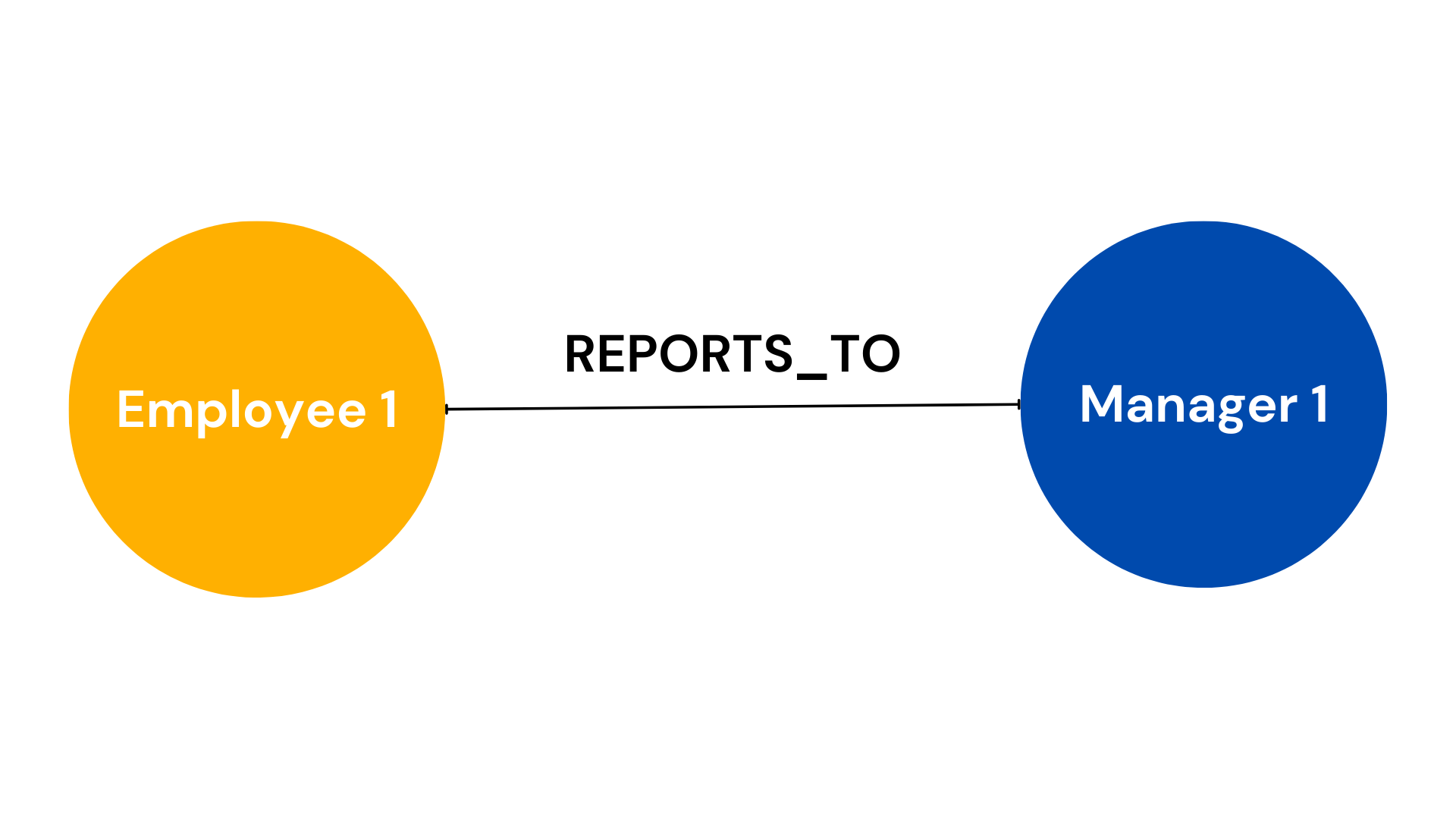
Relationships compound value. In a vector database, “invalid email parameter” is just text. In a graph, you understand the whole chain: endpoint → parameter → type → validation rules → error code. The system knows the full picture.
Next steps
This is production-grade architecture. To extend it:
Add caching: Cache good answers. Don’t re-query for the same question for 24 hours.
Monitor quality: Log everything. Once a week, spot-check answers. If something’s wrong, your graph probably is too.
Grow your graph: Add more sources. GitHub issues. Support tickets. Slack discussions. More relationships = better answers.
Test these variations:
					# Query 1: Parameters for finding pets by status

curl -X POST <http://localhost:5678/webhook/rag-query> \\

  -H "Content-Type: application/json" \\

  -d '{"question": "What parameters does GET /pet/findByStatus require?"}'

# Query 2: Parameters for creating a pet

curl -X POST <http://localhost:5678/webhook/rag-query> \\

  -H "Content-Type: application/json" \\

  -d '{"question": "What parameters does POST /pet need?"}'

# Query 3: Error codes for getting order by ID

curl -X POST <http://localhost:5678/webhook/rag-query> \\

  -H "Content-Type: application/json" \\

  -d '{"question": "What error codes can GET /store/order/{orderId} return?"}'

# Query 4: User login parameters

curl -X POST <http://localhost:5678/webhook/rag-query> \\

  -H "Content-Type: application/json" \\

  -d '{"question": "What parameters does /user/login require?"}'

# Query 5: General endpoint info

curl -X POST <http://localhost:5678/webhook/rag-query> \\

  -H "Content-Type: application/json" \\

  -d '{"question": "Tell me about the /pet endpoint"}'
