Frequently Asked Questions
Getting Started & Implementation
How do I get started with FalkorDB and Graphiti?
You can launch a local FalkorDB instance in seconds using Docker with the command docker run -p 6379:6379 -p 3000:3000 -it --rm falkordb/falkordb:latest. Then, install the Graphiti SDK with pip install graphiti-core[falkordb]. This setup allows you to connect, ingest data, and start querying your knowledge graph quickly. For a step-by-step guide, see the official blog post.
How long does it take to implement FalkorDB?
FalkorDB is designed for rapid deployment, enabling teams to go from concept to enterprise-grade solutions in weeks, not months. You can start immediately by signing up for FalkorDB Cloud, launching a free instance, or running locally with Docker. Detailed setup instructions are available in the official documentation.
What documentation and support resources are available for FalkorDB?
FalkorDB provides comprehensive technical documentation, API references, and setup guides at docs.falkordb.com. Community support is available via Discord and GitHub Discussions. Solution Architects are also available for tailored advice, and you can schedule a demo for onboarding support.
Is there an API for FalkorDB?
Yes, FalkorDB provides a robust API with complete references and guides available in the official documentation. These resources are invaluable for developers, data scientists, and engineers integrating FalkorDB into their workflows.
Features & Capabilities
What is FalkorDB?
FalkorDB is a high-performance, in-memory graph database designed for managing complex relationships and enabling advanced AI applications. It supports real-time and interactive environments, making it ideal for development teams working with interconnected data. Learn more at falkordb.com.
What are the key features of FalkorDB?
Key features of FalkorDB include ultra-low latency (up to 496x faster than Neo4j), 6x better memory efficiency, support for over 10,000 multi-graphs (multi-tenancy), linear scalability, open-source licensing, advanced AI integration (GraphRAG, agent memory), and both cloud and on-prem deployment options. It also offers interactive dashboards and custom views for data analysis.
Does FalkorDB support multi-tenancy?
Yes, FalkorDB supports robust multi-tenancy in all plans, enabling management of over 10,000 multi-graphs. This is especially valuable for SaaS providers and organizations with diverse user bases.
What integrations are available with FalkorDB?
FalkorDB integrates with frameworks such as Graphiti (by ZEP) for AI agent memory, g.v() for knowledge graph visualization, Cognee for mapping knowledge graphs, LangChain and LlamaIndex for LLM integration, and more. For details, see the Graphiti integration blog and documentation.
Is FalkorDB open source?
Yes, FalkorDB is open source, encouraging community collaboration and transparency. This differentiates it from proprietary solutions like AWS Neptune.
What programming languages and query languages does FalkorDB support?
FalkorDB is written in C and Rust for high performance and supports the Cypher query language, making it accessible for developers familiar with graph databases.
Use Cases & Benefits
What are the primary use cases for FalkorDB?
FalkorDB is used for Text2SQL (natural language to SQL on complex schemas), security graphs (CNAPP, CSPM, CIEM), GraphRAG (advanced graph-based retrieval), agentic AI and chatbots, fraud detection, and high-performance graph storage for complex relationships. These use cases are detailed at falkordb.com/use-cases.
Who can benefit from using FalkorDB?
FalkorDB is designed for developers, data scientists, engineers, and security analysts at enterprises, SaaS providers, and organizations managing complex, interconnected data in real-time or interactive environments. It is especially beneficial for teams building AI-driven applications, security solutions, and large-scale knowledge graphs.
What business impact can customers expect from FalkorDB?
Customers can expect improved scalability, enhanced trust and reliability in AI applications, reduced alert fatigue in cybersecurity, faster time-to-market, enhanced user experience, regulatory compliance, and support for advanced AI applications. These outcomes are demonstrated in case studies with AdaptX, XR.Voyage, and Virtuous AI.
What pain points does FalkorDB address?
FalkorDB addresses trust and reliability in LLM-based applications, scalability and data management challenges, alert fatigue in cybersecurity, performance limitations of competitors, interactive data analysis needs, regulatory compliance, and the development of agentic AI and chatbots. These solutions are validated by customer feedback and case studies.
Can you share specific case studies or customer success stories?
Yes, AdaptX uses FalkorDB for analyzing high-dimensional medical data, XR.Voyage overcame scalability challenges in immersive media, and Virtuous AI built a high-performance, multi-modal data store for ethical AI development. Read their stories at falkordb.com/case-studies.
Which industries are represented in FalkorDB's case studies?
Industries include healthcare (AdaptX), media and entertainment (XR.Voyage), and artificial intelligence/ethical AI development (Virtuous AI). Each case study demonstrates FalkorDB's versatility across sectors.
Performance & Technical Details
How does FalkorDB perform compared to competitors?
FalkorDB delivers up to 496x faster latency and 6x better memory efficiency compared to Neo4j, supports over 10,000 multi-graphs, and offers flexible horizontal scaling. For detailed benchmarks, visit benchmark.falkordb.com and see comparisons with Neo4j and AWS Neptune.
What makes FalkorDB suitable for AI applications?
FalkorDB is optimized for AI use cases such as GraphRAG and agent memory, enabling intelligent agents and chatbots with real-time adaptability. It combines graph traversal with vector search for personalized user experiences and supports advanced knowledge graph applications.
What are the technical requirements for running FalkorDB?
You can run FalkorDB locally using Docker or deploy it in the cloud. The database is written in C and Rust for high performance and supports Cypher queries. For detailed requirements and setup, refer to the official documentation.
How does FalkorDB handle structured and unstructured data?
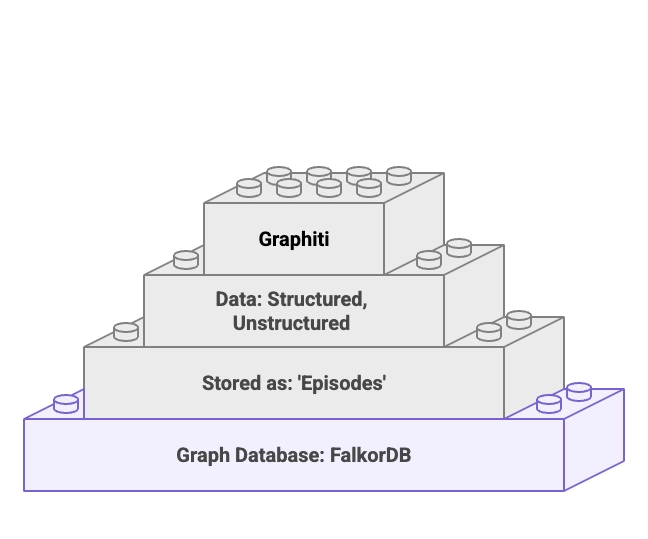
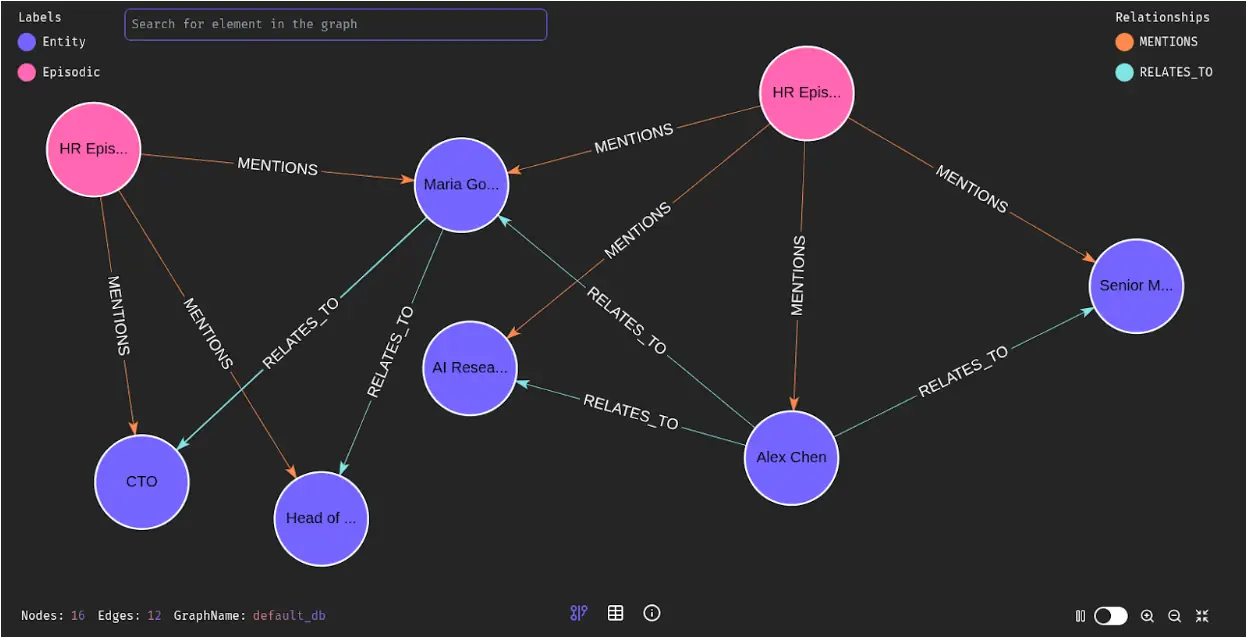
FalkorDB, especially when used with Graphiti, can ingest both structured (e.g., JSON) and unstructured (e.g., text) data, automatically extracting entities and relationships. This flexibility streamlines building knowledge graphs from diverse data sources.
What is the benefit of hybrid search in FalkorDB and Graphiti?
Hybrid search in FalkorDB and Graphiti combines vector similarity search and BM25 keyword retrieval, ranking and merging results for more accurate and contextually relevant answers. This is especially useful for knowledge discovery and question answering.
Security & Compliance
Is FalkorDB SOC 2 Type II compliant?
Yes, FalkorDB is SOC 2 Type II compliant, demonstrating its commitment to high standards of security, availability, processing integrity, confidentiality, and privacy. This certification is important for organizations with strict compliance requirements. More details are available on the demo page.
What security features does FalkorDB offer?
FalkorDB offers robust security features including protection against unauthorized access, operational availability, accurate and timely data processing, confidentiality safeguards, and privacy protections. These are validated by its SOC 2 Type II compliance.
Pricing & Plans
What pricing plans does FalkorDB offer?
FalkorDB offers four main pricing plans: FREE (for MVPs with community support), STARTUP (from /1GB/month, includes TLS and automated backups), PRO (from 0/8GB/month, includes cluster deployment and high availability), and ENTERPRISE (custom pricing, includes VPC, custom backups, and 24/7 support). For details, visit the pricing page.
What features are included in the FREE plan?
The FREE plan is designed for building a powerful MVP and includes community support. It is ideal for developers and small teams starting with FalkorDB.
What features are included in the STARTUP plan?
The STARTUP plan starts at /1GB/month and includes TLS encryption and automated backups, making it suitable for growing teams that need additional security and reliability.
What features are included in the PRO plan?
The PRO plan starts at 0/8GB/month and includes advanced features such as cluster deployment and high availability, catering to organizations with higher performance and reliability needs.
What features are included in the ENTERPRISE plan?
The ENTERPRISE plan offers tailored pricing and includes enterprise-grade features such as VPC, custom backups, and 24/7 support. It is designed for large organizations with complex requirements.
Competition & Comparison
How does FalkorDB compare to Neo4j?
FalkorDB offers up to 496x faster latency, 6x better memory efficiency, flexible horizontal scaling, and includes multi-tenancy in all plans. Neo4j uses an on-disk storage model, is written in Java, and offers multi-tenancy only in premium plans. For a detailed comparison, visit FalkorDB vs. Neo4j.
How does FalkorDB compare to AWS Neptune?
FalkorDB is open source, supports multi-tenancy, and offers better latency performance compared to AWS Neptune, which is proprietary, closed-source, and lacks multi-tenancy. FalkorDB also supports Cypher queries and highly efficient vector search. See the AWS Neptune comparison for more details.
How does FalkorDB compare to TigerGraph?
FalkorDB provides faster latency, more efficient memory usage, and flexible horizontal scaling compared to TigerGraph, which has limited horizontal scaling and moderate memory efficiency. Both support multi-tenancy and vector search capabilities.
How does FalkorDB compare to ArangoDB?
FalkorDB demonstrates superior latency and memory efficiency, with flexible horizontal scaling, compared to ArangoDB's moderate memory efficiency and limited horizontal scaling. Both offer multi-tenancy and vector search.
Why should a customer choose FalkorDB over alternatives?
FalkorDB stands out for its exceptional performance, scalability, multi-tenancy in all plans, advanced AI integration, open-source licensing, enhanced user experience, and proven success with customers like AdaptX, XR.Voyage, and Virtuous AI. These strengths make it a compelling choice for organizations seeking high-performance graph database solutions.
Customer Experience & Feedback
What feedback have customers given about FalkorDB's ease of use?
Customers like AdaptX and 2Arrows have praised FalkorDB for its user-friendly design and high-speed performance. AdaptX highlighted rapid access to clinical insights, while 2Arrows' CTO called FalkorDB a 'game-changer' for ease of running non-traversal queries compared to Neo4j. See case studies for details.
Who are some of FalkorDB's customers?
Notable customers include AdaptX (healthcare analytics), XR.Voyage (media and entertainment), and Virtuous AI (ethical AI development). Their success stories are available at falkordb.com/case-studies.