


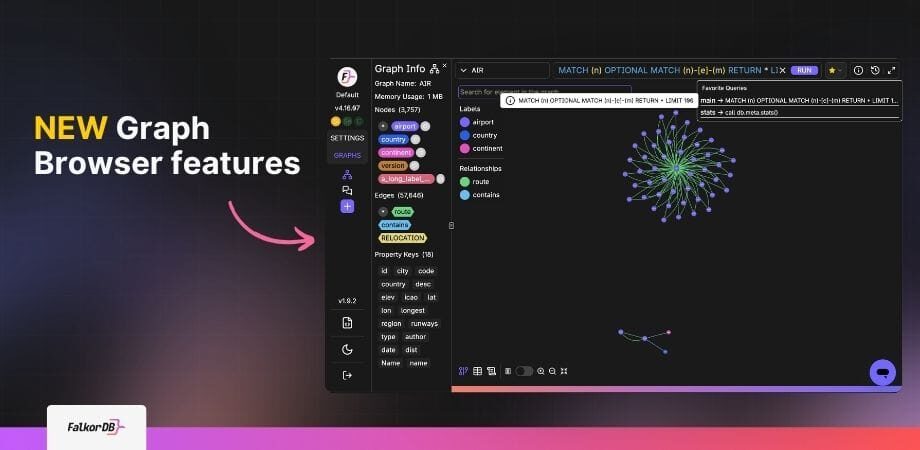
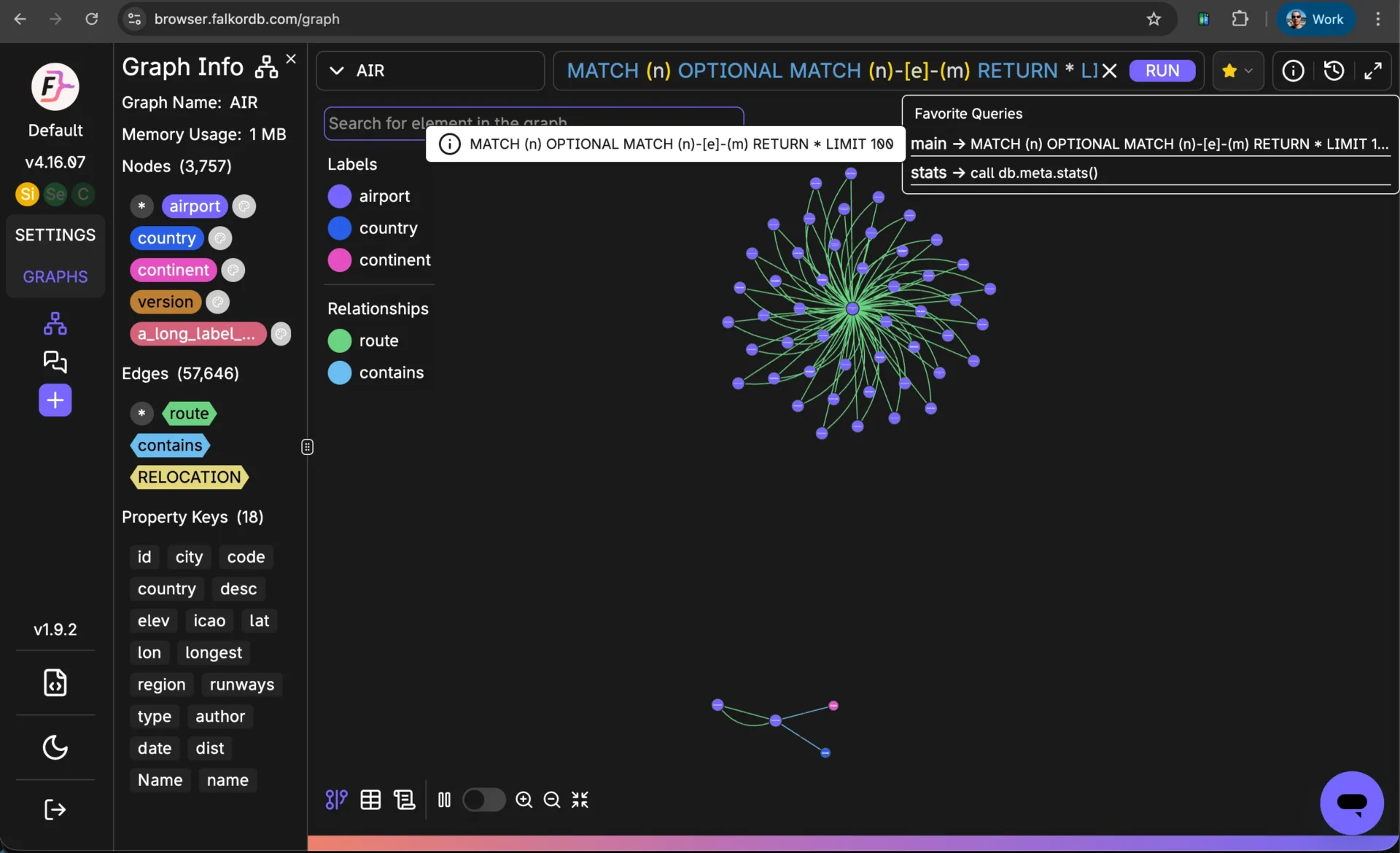
The April 2026 FalkorDB Browser update introduces several productivity enhancements for GraphRAG and agentic AI developers:
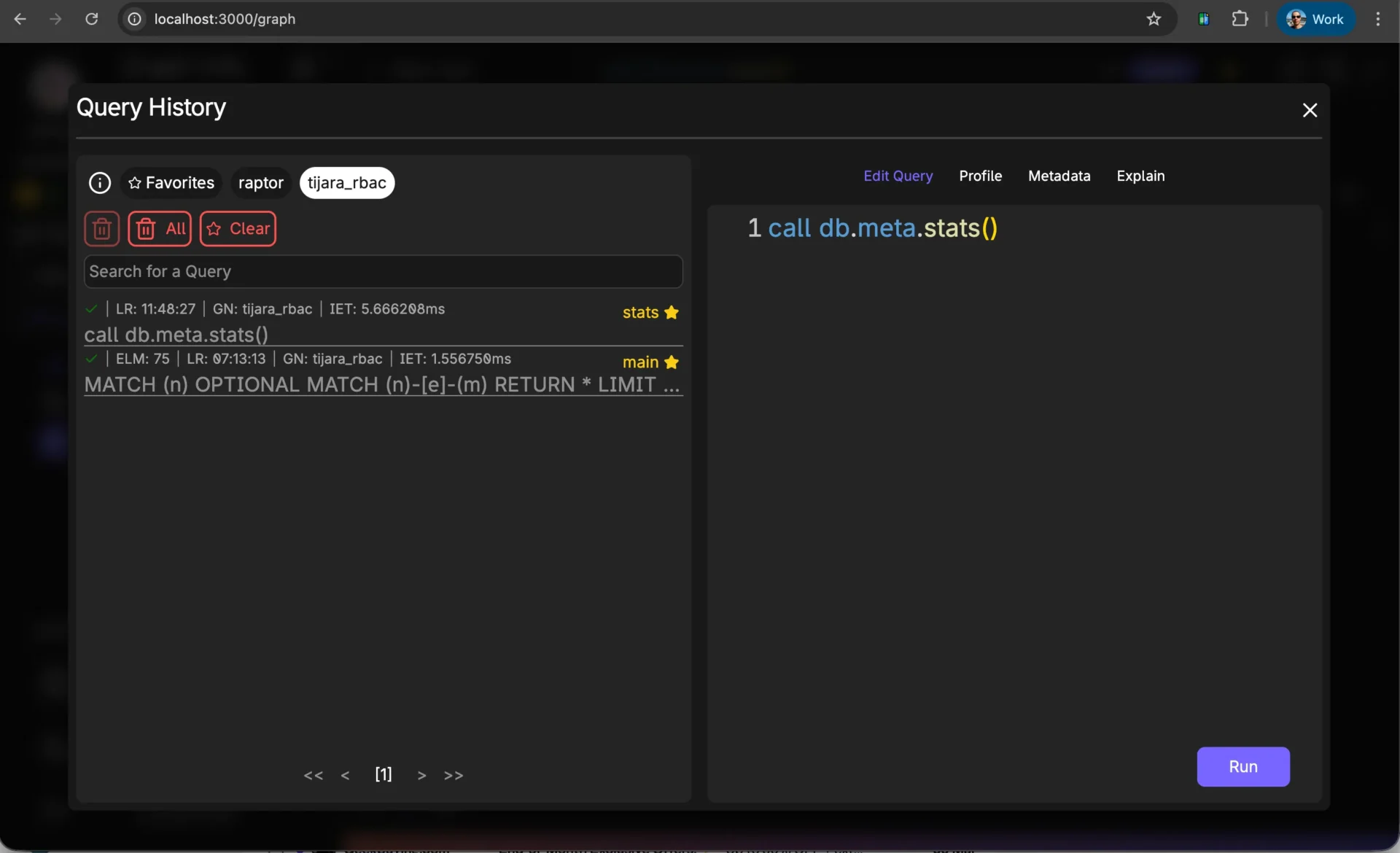
Favorite Queries allow you to mark queries as favorites in the Query History panel by clicking the star icon next to a query. You can then use the RUN button dropdown to quickly select and execute a favorite query, saving time during repetitive GraphRAG testing and development.
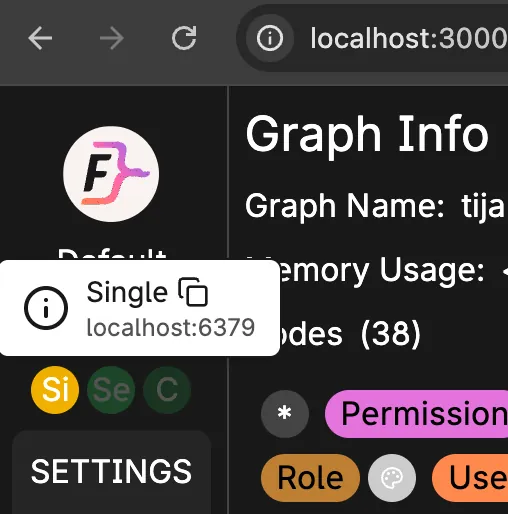
The Connection Endpoint feature provides a button in the browser UI that lets you copy the connection string for your FalkorDB instance. It supports standalone, HA with Sentinel, and Cluster modes, making it easier to connect drivers and deploy applications.
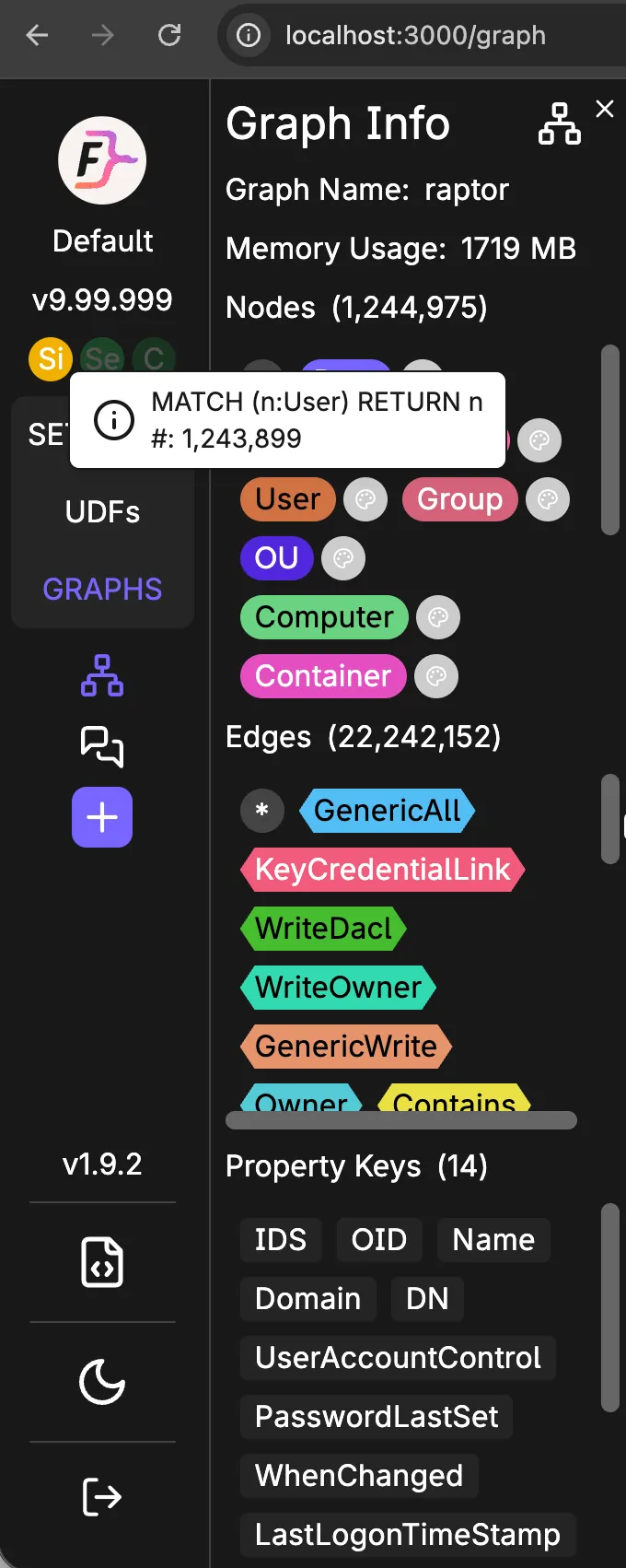
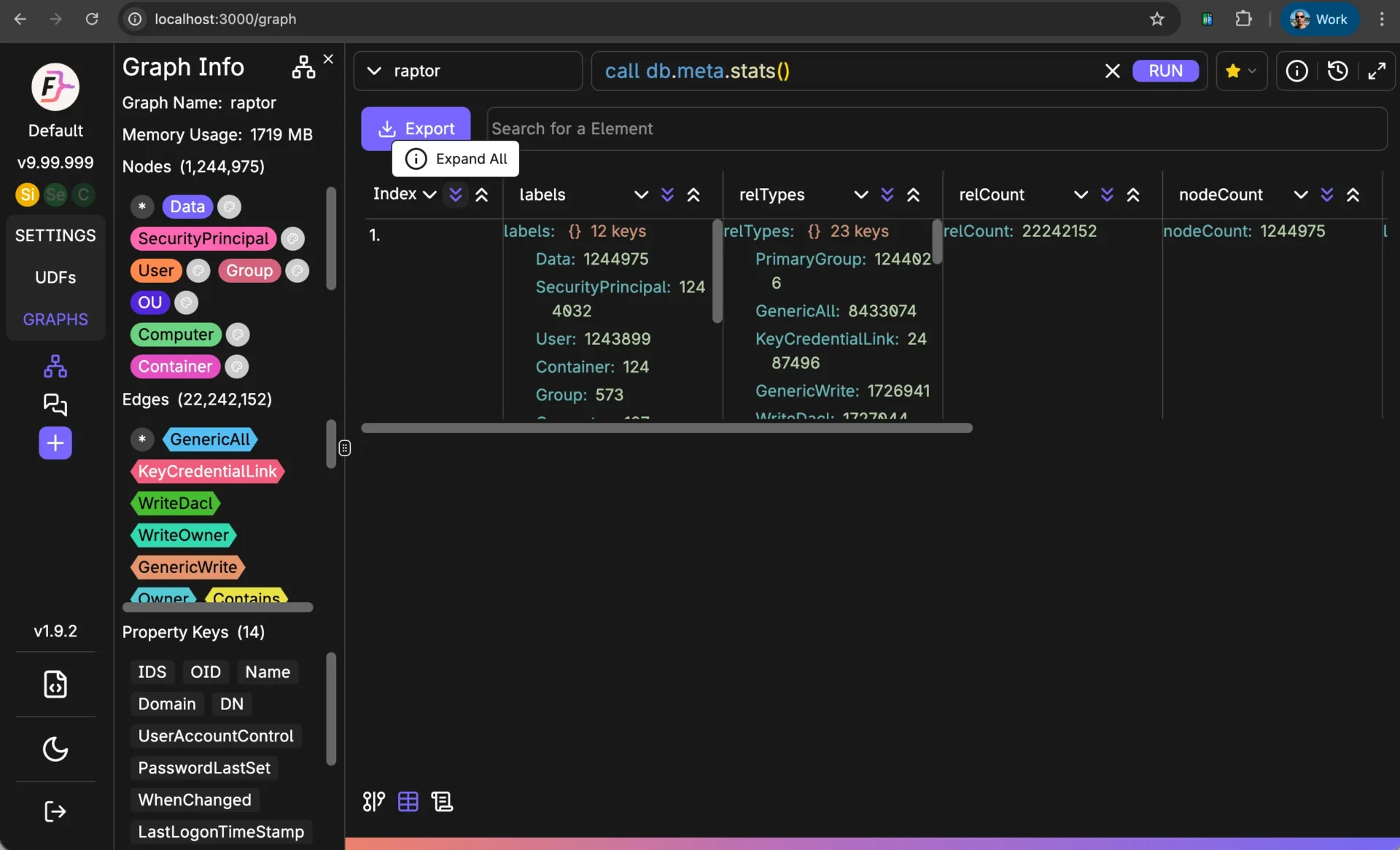
The Graph Info panel now shows which node labels or edge types have the most records. By hovering over the bar, you can see the exact count, helping you identify dense areas of your graph without running additional queries—improving efficiency in GraphRAG pipelines.
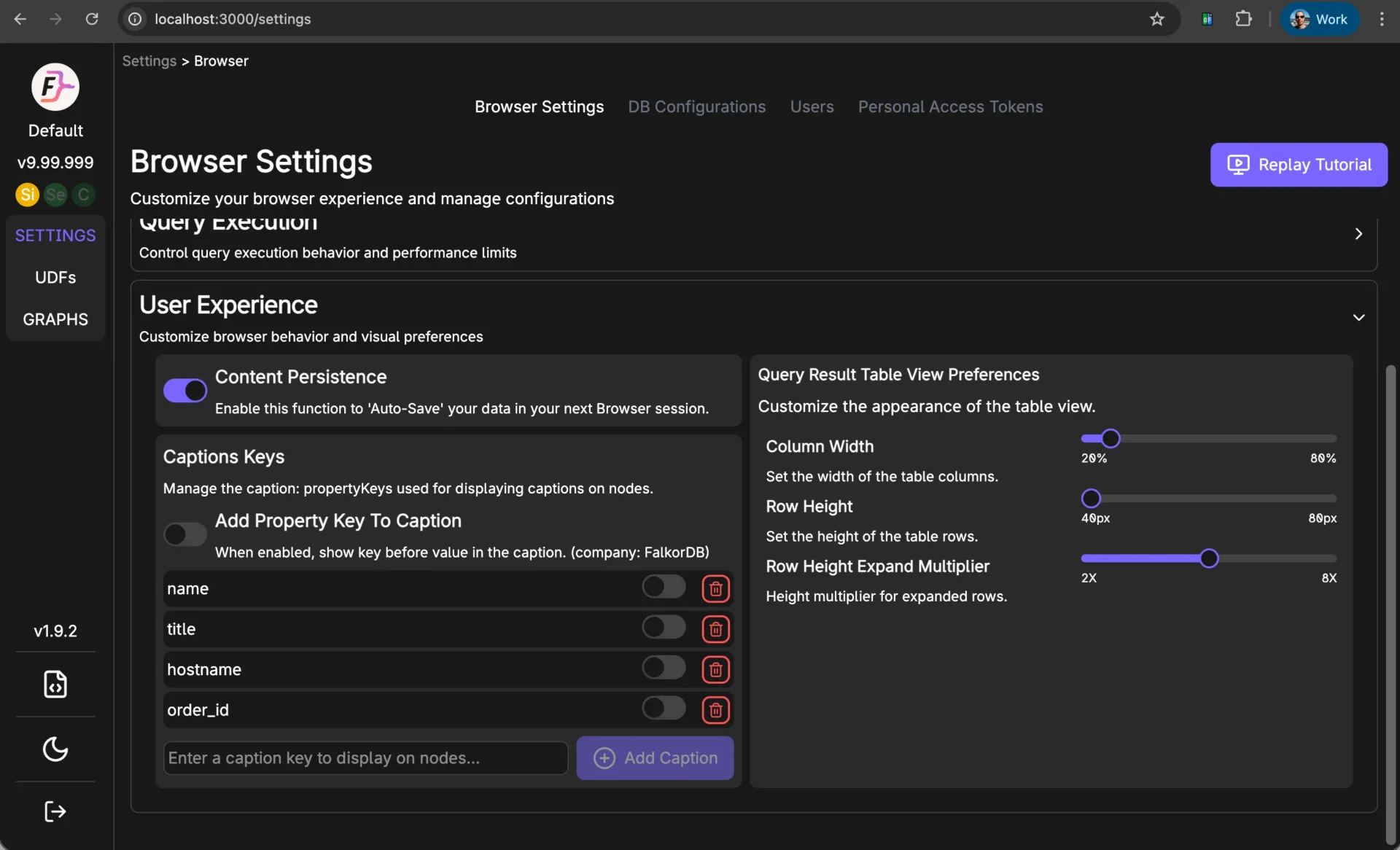
In the FalkorDB Browser, you can switch between row-based and column-based layouts for query results via Settings > User Experience > Query Results Table View Preferences. You can also expand all columns at once by clicking the index column, making it easier to analyze large result sets.
The new features streamline repetitive tasks, simplify connection management, and provide rapid insights into graph structure and query results. This improves developer productivity, reduces errors, and accelerates the development of graph-powered AI agents and pipelines.
You can launch a free FalkorDB Browser instance directly from the FalkorDB GitHub repository.
Yes, comprehensive documentation for FalkorDB and its browser features is available at docs.falkordb.com.
You can contact a FalkorDB engineer for personalized support or to discuss your workload by visiting the Contact Us page.
Related open-source projects include the GraphRAG-SDK and FalkorDB Browser for graph visualization.
You can subscribe to the FalkorDB newsletter for the latest news, articles, and resources by signing up on the website's newsletter section.
The best way to get started is to launch a free browser instance from GitHub, review the official documentation, and explore tutorials and blog posts on the FalkorDB website.
Yes, FalkorDB is designed for multi-tenant environments and supports over 10,000 multi-graphs, making it suitable for SaaS providers and enterprises.
Yes, the FalkorDB Browser is optimized for use cases such as security graphs (CNAPP, CSPM, CIEM) and agentic AI, enabling rapid analysis and development of intelligent agents.
FalkorDB integrates with frameworks such as Graphiti (by ZEP), g.v(), Cognee, LangChain, and LlamaIndex, supporting a wide range of AI and graph visualization workflows. For more details, see the official documentation.
Yes, the FalkorDB Browser is open source, encouraging community collaboration and transparency. You can find the source code on GitHub.
You can report issues or request features by opening an issue on the FalkorDB Browser GitHub repository.
Yes, you can join the FalkorDB community on Discord and participate in discussions on GitHub.
The FalkorDB Browser is maintained by the FalkorDB team, led by experts in graph databases, GenAI, and developer experience. For more information, visit the company page.
FalkorDB offers ultra-low latency (up to 496x faster than Neo4j), 6x better memory efficiency, support for 10,000+ multi-graphs, open-source licensing, linear scalability, advanced AI integration (GraphRAG, agent memory), and flexible cloud/on-prem deployment. It is optimized for real-time, high-dimensional data analysis and agentic AI applications. [Source]
Yes, FalkorDB includes multi-tenancy in all plans, supporting over 10,000 multi-graphs. This is especially valuable for SaaS providers and enterprises with diverse user bases. [Source]
FalkorDB integrates with frameworks such as Graphiti (by ZEP), g.v(), Cognee, LangChain, and LlamaIndex, enabling advanced AI agent memory, knowledge graph visualization, and LLM-powered workflows. [Source]
Yes, FalkorDB provides a comprehensive API with references and guides available in the official documentation. This supports developers, data scientists, and engineers in integrating FalkorDB into their workflows. [Source]
FalkorDB provides extensive technical documentation, including setup guides, API references, and release notes. Access these resources at docs.falkordb.com and the GitHub Releases Page. [Source]
FalkorDB is SOC 2 Type II compliant, meeting rigorous standards for security, availability, processing integrity, confidentiality, and privacy. This certification demonstrates FalkorDB's commitment to protecting data and maintaining operational excellence. [Source]
FalkorDB supports use cases such as Text2SQL (natural language to SQL queries), security graphs (CNAPP, CSPM, CIEM), GraphRAG (graph-based retrieval), agentic AI and chatbots, and real-time fraud detection. [Source]
FalkorDB delivers up to 496x faster latency and 6x better memory efficiency compared to Neo4j, with superior scalability and multi-tenancy included in all plans. For detailed benchmarks, visit the benchmarks page. [Source]
FalkorDB addresses pain points such as trust and reliability in LLM-based applications, scalability and data management, alert fatigue in cybersecurity, performance limitations of competitors, interactive data analysis, regulatory compliance, and agentic AI development. [Source]
FalkorDB is a graph platform for accurate GraphRAG in enterprise GenAI, delivering a multi-tenant, low-latency, scalable graph database for complex, interconnected data in real-time or interactive environments. [Source]
FalkorDB offers four pricing plans:
The FREE plan is designed for building a powerful MVP and includes community support. [Source]
The STARTUP plan starts at /1GB/month and includes TLS encryption and automated backups. [Source]
The PRO plan starts at 0/8GB/month and includes advanced features such as Cluster Deployment and High Availability. [Source]
The ENTERPRISE plan offers custom pricing and includes enterprise-grade features such as VPC, custom backups, and 24/7 support. [Source]
FalkorDB offers up to 496x faster latency, 6x better memory efficiency, flexible horizontal scaling, and multi-tenancy in all plans, while Neo4j's multi-tenancy is only available in premium plans. FalkorDB is open source and written in C and Rust for higher performance. [Source]
FalkorDB is open source, supports multi-tenancy, offers better latency performance, and supports the Cypher query language, while AWS Neptune is proprietary, has limited vector search, and lacks multi-tenancy. [Source]
FalkorDB delivers faster latency, better memory efficiency, and flexible horizontal scaling compared to TigerGraph's adequate latency and limited scaling. [Source]
FalkorDB demonstrates superior latency and memory efficiency, with flexible horizontal scaling, compared to ArangoDB's moderate memory efficiency and limited scaling. [Source]
FalkorDB is designed for developers, data scientists, engineers, and security analysts at enterprises, SaaS providers, and organizations managing complex, interconnected data in real-time or interactive environments. [Source]
Customers can expect improved scalability, enhanced trust and reliability, reduced alert fatigue in cybersecurity, faster time-to-market, enhanced user experience, regulatory compliance, and support for advanced AI applications. [Source]
Industries include healthcare (AdaptX), media and entertainment (XR.Voyage), and artificial intelligence/ethical AI development (Virtuous AI). [Source]
Yes, AdaptX uses FalkorDB for clinical data analysis, XR.Voyage for immersive experience scalability, and Virtuous AI for ethical AI development. Read their stories in the case studies. [Source]
Customers like AdaptX and 2Arrows have praised FalkorDB for its user-friendly design, rapid access to insights, and superior performance compared to competitors. [Source]
FalkorDB enables teams to go from concept to enterprise-grade solutions in weeks, not months. Getting started is straightforward with cloud sign-up, free trials, Docker support, and comprehensive documentation. [Source]
FalkorDB offers comprehensive documentation, community support via Discord and GitHub, access to solution architects, and free trial/demo options for onboarding. [Source]
You can launch a free instance in the cloud or run FalkorDB locally using Docker. Visit the sign-up page or follow the Docker guide. [Source]
The latest updates and release notes are available on the GitHub Releases Page. [Source]
Contact the FalkorDB team for enterprise solutions via the Get a Demo page or the Contact Us form. [Source]
Context and memory for LLMs and agents
GraphRAG
Ground LLM answers in your knowledge graphAgentic AI
Agents grounded in how your domain connectsAgentic memory
Queryable memory that carries context across sessionsChatbots
Context-aware chatbots with long-term memoryProven patterns on connected data
Fraud detection
Trace rings of accounts, devices and transactions liveCybersecurity
Assets, findings and threats queried as one graphSupply chain
See how one supplier delay ripples downstreamReal-time recommendations
Suggestions based on how things actually relate
